
PHP2Shell Vulnerability 2026: Which PHP Versions Are Affected and How to Fix Them (Complete Guide)

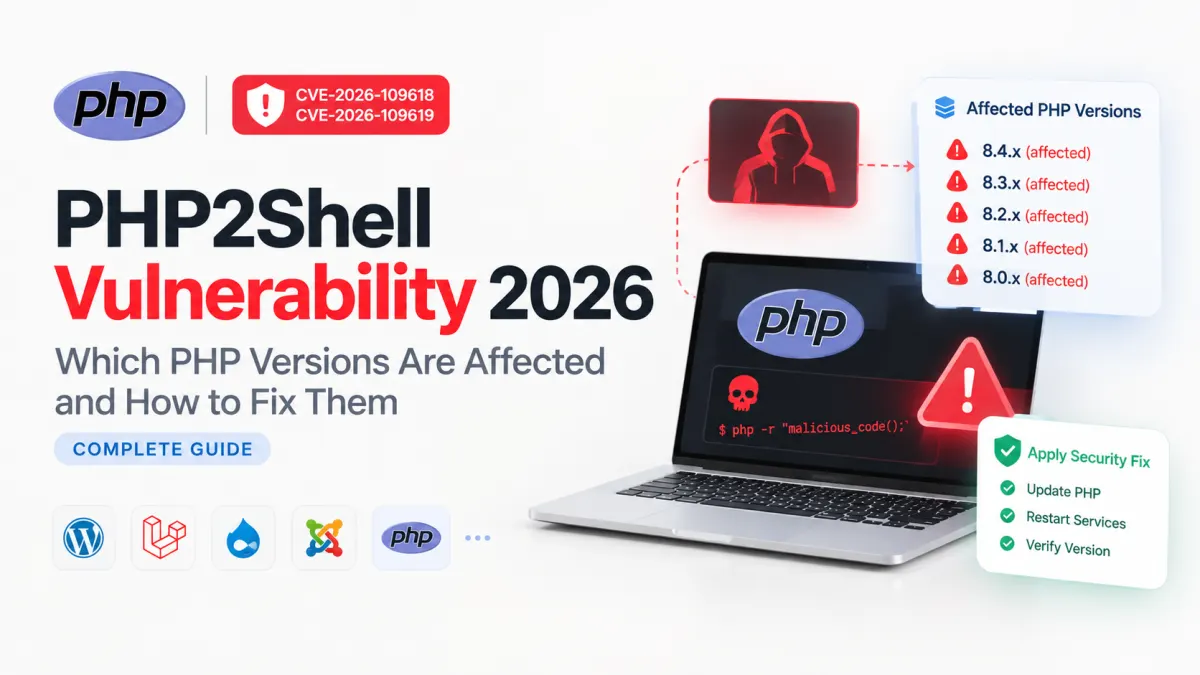
Severity: Critical (CVSS 9.2/10)
Vulnerabilities: CVE-2026-109618 and CVE-2026-109619
If your website uses PHP, there is an important security issue you need to know about.
On 21 October 2026, the PHP development team released emergency security updates to fix two critical vulnerabilities collectively known as PHP2Shell.
These vulnerabilities could allow hackers to run malicious commands on vulnerable web servers without knowing a password or logging in.
This affects websites built with PHP, including WordPress, Laravel, Drupal, Joomla, and custom PHP applications.
But there's good news: official security fixes are already available.
In this guide, you'll learn what PHP2Shell is, which exact PHP versions are affected, and how to protect your website, whether you're using shared hosting, cPanel, a VPS, or Docker.
1. What is PHP2Shell?
PHP2Shell is the name given to two serious security vulnerabilities discovered inside PHP itself.
PHP is a programming language that runs many websites and web applications.
Imagine your website is a shop.
Your website is the shop.
PHP is the employee handling customer requests.
Your server is the building where everything is stored.
Normally, visitors can only request things your website allows them to access.
But PHP2Shell creates a security weakness inside that employee's working system. A skilled attacker might exploit it to perform actions that should never be allowed.
In technical terms, this is called Remote Code Execution (RCE).
It means an attacker may be able to execute code on your server from somewhere else on the internet.
The dangerous part is that an attacker may not need to log in or have an account.
Even if your Laravel or WordPress application is properly secured, the PHP engine underneath it could still be vulnerable.
2. Why is PHP2Shell so dangerous?
PHP2Shell is rated Critical, with a CVSS 4.0 score of 9.2 out of 10.
A successful attack could potentially allow someone to:
Run unauthorized commands on the server.
Read sensitive application information.
Steal passwords, API keys, or authentication tokens.
Modify website files.
Install malicious scripts.
Interrupt website operations or cause crashes.
Gain further access to other systems, depending on the server's permissions.
The two vulnerabilities have different technical causes.
CVE-2026-109618 — Out-of-memory corruption
PHP can run into problems when processing a specially crafted request that exhausts memory. Under certain conditions, it may incorrectly handle internal data and create an opportunity for remote code execution.
CVE-2026-109619 — Stale memory or global state
PHP may accidentally reuse information from an earlier request after the memory holding that information has been released. Attackers can potentially abuse this behavior to read sensitive data or execute code.
You don't need to understand how computer memory works to fix these problems.
The important thing is that updating PHP to a patched release fixes both vulnerabilities.
3. Who discovered PHP2Shell?
The PHP2Shell vulnerabilities were uncovered through security research involving Calif, Wiz Research, and OpenAI.
Calif security researcher Ryan Austin identified serious PHP vulnerabilities in August 2026, with AI-assisted research contributing to the investigation.
Wiz Research independently discovered and reported both vulnerabilities. Its researchers included Sagi Tzadik, Shir Tamari, Nir Ohfeld, and Tomer Schwartz.
Amy Burnett of OpenAI Codex Security was also credited among the researchers involved in the responsible disclosure effort.
The researchers worked with the PHP security team and industry partners to investigate the problems, test fixes, and coordinate the public release.
Important dates:
| Date | What happened |
|---|---|
| August 2026 | Researchers identified and began reporting the vulnerabilities |
| 20 October 2026 | Details appeared publicly ahead of the coordinated release |
| 21 October 2026 | PHP published official security fixes |
| 22 October 2026 | Website owners should prioritize checking and updating affected installations |
Amazon Web Services also reported observing a PHP2Shell exploitation attempt against its honeypot infrastructure dating back to 17 October 2026, before the public disclosure.
This makes updating especially important for publicly accessible websites.
Sources: PHP2Shell research disclosure and AWS Security Blog.
4. Which PHP versions are affected by PHP2Shell?
This is the most important section for website owners and developers.
The following versions are affected unless an operating-system or hosting vendor has separately backported the security patches.
| PHP version | Vulnerable versions | First fixed version |
|---|---|---|
| PHP 8.5 | 8.5.0 to 8.5.11 | 8.5.12 |
| PHP 8.4 | 8.4.0 to 8.4.26 | 8.4.27 |
| PHP 8.3 | 8.3.0 to 8.3.35 | 8.3.36 |
| PHP 8.2 | 8.2.0 to 8.2.34 | 8.2.35 |
| PHP 8.1 and older | Older unsupported releases are affected | Upgrade or obtain verified vendor security backports |
The vulnerable code dates back to older PHP releases, including PHP 5.4. PHP 8.1 and older no longer receive normal security releases from the PHP project.
For example:
| Your current PHP version | Is an update needed? | Update to |
|---|---|---|
| 8.2.33 | Yes | 8.2.35 |
| 8.2.34 | Yes | 8.2.35 |
| 8.3.33 | Yes | 8.3.36 |
| 8.3.35 | Yes | 8.3.36 |
| 8.4.25 | Yes | 8.4.27 |
| 8.4.26 | Yes | 8.4.27 |
| 8.5.11 | Yes | 8.5.12 |
| 8.3.36 | No, for PHP2Shell | Already patched |
| 8.4.27 | No, for PHP2Shell | Already patched |
Important: These are the first fixed official PHP releases, not necessarily the latest versions forever. Always install the latest available security update for your supported PHP branch.
Also, Linux distributions sometimes add security fixes to their own PHP packages without changing the main PHP version number. If you use such packages, follow your operating-system vendor's advisory.
Source: Official PHP Security Announcement — 21 October 2026.
5. How to check your current PHP version
Before making changes, you need to identify which PHP version your website uses.
The method depends on your hosting environment.
If you use cPanel or shared hosting
Log in to your hosting account.
Open cPanel.
Search for MultiPHP Manager or Select PHP Version.
Find your domain.
Check the PHP version assigned to it.
For example, if the panel shows PHP 8.3, you'll need to confirm whether the provider has installed at least PHP 8.3.36 or an equivalent patched package.
Note: Some hosting panels display only PHP 8.3 or 8.4, without the full patch version. In that case, your hosting provider must confirm whether its PHP installation contains the security fix.
If you use a VPS or dedicated server
Connect to your server using SSH and run:
php -vExample output:
PHP 8.3.33 (cli)This indicates that the command-line PHP version is 8.3.33.
For an official unmodified PHP installation, that version is vulnerable.
You'll need to update it to PHP 8.3.36 or newer within the 8.3 branch.
Remember that the command-line PHP version and the PHP version serving your website can be different. Check the actual web-server PHP runtime too.
If you use Docker
Check your running PHP container:
docker exec <container_name> php -vReplace <container_name> with your actual PHP container name.
For a PHP-FPM container, also check:
docker exec <container_name> php-fpm -vThis helps confirm which PHP version is installed inside your container.
6. How to fix PHP2Shell on shared hosting
If you purchased regular shared hosting, you usually don't have full control over server software.
Your hosting provider manages the PHP installation.
Here is what you should do.
Step 1: Log in to your hosting control panel.
Step 2: Find the PHP version settings.
Step 3: Check whether your provider offers an updated, patched PHP version.
Step 4: Select a supported PHP branch compatible with your website, if a change is necessary and the patched build is available.
Step 5: If you can't confirm the patch, contact your hosting provider.
You can send this simple message:
Hello Support Team,
I recently learned about the critical PHP2Shell vulnerabilities, CVE-2026-109618 and CVE-2026-109619.
Could you confirm whether the PHP version running my website includes the fixes released on 21 October 2026?
Please update my hosting environment to a patched PHP version if necessary.
Thank you.
Your hosting provider should be able to confirm the installed security patch.
You do not necessarily need to migrate to another hosting provider or change your website code.
7. How to fix PHP2Shell in cPanel and WHM
If you use cPanel, the process depends on whether you're a regular hosting customer or the server administrator.
For cPanel users
Log in to cPanel.
Open MultiPHP Manager.
Select your website's domain.
Choose a patched PHP branch made available by your hosting provider.
Click Apply.
Check that your website is working correctly.
For example, if your website uses an old PHP 8.3 installation, the patched upstream version is PHP 8.3.36.
Important: Choosing PHP 8.3 in the dropdown does not automatically mean version 8.3.36 is installed.
Your server administrator must have installed the relevant patched packages.
For WHM administrators
If you manage your own cPanel server:
Log in to WHM.
Open Software → EasyApache 4.
Check for available PHP and system package updates.
Install the security updates supplied by your server's package vendor.
Open Software → MultiPHP Manager.
Confirm that affected domains are using patched PHP installations.
Verify that PHP-FPM and other web services are running the updated packages.
Avoid changing every website to a new major PHP branch without testing compatibility.
A security patch within the same PHP branch is generally the smaller change.
Official documentation: cPanel MultiPHP Manager and How to Update Your cPanel System.
8. How to fix PHP2Shell on a VPS
If you use a VPS from providers such as DigitalOcean, AWS, Vultr, Linode, or another cloud host, you may be responsible for updating PHP yourself.
The exact process depends on your operating system and how PHP was installed.
Example: Ubuntu or Debian VPS
First, check your PHP version:
php -vThen check whether updated PHP packages are available from your configured repositories:
sudo apt update
apt-cache policy php8.3-fpm
This example assumes that your website uses PHP 8.3 with PHP-FPM.
If your package provider has published the security fix, apply the package updates during a maintenance window:
sudo apt upgradeThen restart your PHP service. For a PHP 8.3 FPM installation:
sudo systemctl restart php8.3-fpmIf your website uses Apache with mod_php instead, you may need to restart Apache:
sudo systemctl restart apache2Finally, verify the updated PHP installation and test your website.
What if your repository doesn't have the new version?
Don't assume apt upgrade has fixed PHP2Shell if no patched package was available.
You may need an updated package repository, an official distribution backport, or assistance from your server provider.
For AlmaLinux, Rocky Linux, and other RPM-based systems, use their supported package update process, such as dnf upgrade, and verify your PHP vendor's security advisory.
If your VPS uses cPanel/WHM, follow the cPanel update process rather than blindly changing PHP packages outside the control panel.
Production tip: Take a backup or snapshot before applying updates, especially if several websites share the same server.
9. How to fix PHP2Shell in Docker
Docker users need to pay special attention.
Even if a new PHP image is published, your existing container will not update itself.
You must build or pull an updated image and replace the running container.
Let's look at practical examples.
Example 1: Dockerfile using PHP 8.3
Suppose your Dockerfile contains:
FROM php:8.3-fpmThis is a version-family tag.
If the official tag has been updated to PHP 8.3.36 or a newer patched release, you do not need to change this Dockerfile line.
Instead, rebuild your image using the updated base:
docker build --pull -t myapp:patched .To verify the new image:
docker run --rm --entrypoint php myapp:patched -vYou should see PHP 8.3.36 or a newer patched 8.3 release.
Next, test the new image and deploy it using your normal production deployment process.
Simply restarting your old container will not install the new PHP version.
Example 2: Dockerfile pinned to an old PHP version
Suppose your Dockerfile contains:
FROM php:8.4.25-fpmThis tag specifies an old, vulnerable release.
Change it to:
FROM php:8.4.27-fpmThen rebuild your image, test it, and deploy the new container.
Similarly, for PHP 8.2:
Before:
FROM php:8.2.34-fpmAfter:
FROM php:8.2.35-fpmAlways preserve the required image type, such as fpm, apache, or alpine, when choosing a replacement.
Example 3: Docker Compose users
If you manage your application with Docker Compose, run the following commands from the directory containing your Compose configuration:
docker compose build --pull
docker compose up -d
These commands rebuild services that have a build configuration and recreate containers when the image has changed.
If your Compose configuration directly references a prebuilt PHP image instead of building it, pull that updated image and recreate the affected service.
Verify the running PHP container afterward.
Very important: Running apt-get update inside an existing official PHP Docker container is not the proper way to replace its PHP runtime. The PHP version comes from the image itself.
Official Docker image tags: Docker PHP Image Registry.
10. Do WordPress and Laravel websites need to update?
Yes, if they run a vulnerable PHP runtime.
PHP2Shell is not specifically a WordPress or Laravel vulnerability.
The problem exists in the underlying PHP engine.
This means that websites running popular PHP applications can be exposed, including:
WordPress
Laravel
Symfony
Drupal
Joomla
Magento / Adobe Commerce
Custom PHP applications
Updating a WordPress plugin, changing a Laravel dependency, or running composer update does not replace a vulnerable PHP engine.
The PHP runtime itself must be patched.
You should still keep your applications, plugins, themes, and dependencies up to date for their own security reasons.
11. Can we fix PHP2Shell without updating PHP?
Not completely.
The PHP security team has published some temporary measures that may reduce exposure to particular attack methods.
For example, disabling PHP's session upload-progress feature or limiting certain request-processing behaviors may reduce some risks.
However, these changes do not protect against every possible exploitation path.
Some workarounds can also affect website functionality or server stability.
For this reason, the safest action is to install the official PHP security update.
A firewall or Web Application Firewall (WAF), including protections offered by hosting and CDN providers, may provide additional protection while updating, but it should not be treated as a replacement for patching.
If you cannot patch an internet-facing service immediately, discuss temporary access restrictions or isolation with your hosting/security team.
12. Frequently asked questions
Is my PHP 8.3.33 website vulnerable?
Yes, an unmodified upstream PHP 8.3.33 runtime is vulnerable. Update to PHP 8.3.36 or newer within the 8.3 branch.
Is PHP 8.2.34 safe?
No, not in the official unmodified PHP release. PHP 8.2.35 is the first fixed upstream version.
Is PHP 8.4.25 vulnerable?
Yes. Upgrade to PHP 8.4.27 or a newer patched PHP 8.4 release.
Is PHP 8.3.36 safe?
PHP 8.3.36 contains the fixes for both reported PHP2Shell vulnerabilities. That does not mean the application is protected against every other security issue.
Does PHP2Shell affect PHP-FPM and Nginx?
Yes, PHP-FPM deployments are within the affected scope. The PHP team also identifies Apache mod_php, php-cgi, FrankenPHP, and LiteSpeed as affected environments, although attack requirements vary.
Do I need to upgrade PHP 8.2 to PHP 8.4?
Not necessarily to fix PHP2Shell.
PHP 8.2.35 contains the relevant patches. However, PHP 8.2 reaches the end of its official security support on 31 December 2026, so planning a move to a newer supported branch is sensible.
Will updating PHP break my website?
Security patch updates within the same PHP branch generally carry less compatibility risk than moving to a new major or minor branch.
However, any production update should be backed up and tested before deployment.
Can hackers exploit this without a login?
Yes. The vulnerabilities can allow unauthenticated remote code execution under affected conditions. That is a major reason the PHP team rated them critical.
Do I need to change my Dockerfile if I already use php:8.3-fpm?
Not necessarily. The official floating tag has been updated to the patched PHP release.
You must still rebuild using the updated image and redeploy the container. An old running container does not automatically receive the fix.
13. Final thoughts: Update your PHP version now
PHP2Shell is one of the most important PHP security issues disclosed in October 2026.
It affects the PHP runtime itself, which means websites can be at risk even when their application code is well maintained.
The good news is that the PHP development team has already published patched releases.
Remember these four important versions:
PHP 8.2 → 8.2.35
PHP 8.3 → 8.3.36
PHP 8.4 → 8.4.27
PHP 8.5 → 8.5.12
If you're using shared hosting, contact your provider.
If you're using cPanel, check your domain's PHP configuration and confirm that the server has patched PHP packages.
If you're using a VPS, apply the security updates supplied by your operating-system or PHP package vendor.
If you're using Docker, rebuild with an updated PHP image and deploy a new container.
The most important message is simple: Check your PHP version, install the appropriate security patch, and verify that your production website is actually running it.
Don't wait for a website error or security incident before taking action.
Projects to explore next
Source-code projects from the KritiMyantra catalogue. Check each project's details before buying.

Flask Authentication System (Free Version) - Kritim Yantra
🛠 Features✔ Google & GitHub Authentication✔ User Registration & Login✔ Profile/Dashboard Access✔ Secure & Mi...

Flask Blog CMS with Admin Dashboard — Python Source Code
A Flask-based blogging website with a built-in admin dashboard. Manage articles, images, categories, tags and featured p...

Laravel 12 + ReactJS Starter Kit: Add Multi-Language Support (Arabic, English, Spanish) with Blog CRUD
🚀 Installation & Setup Download & Extract Get the ZIP from kritimyantra.com and extract it. Includes preconfigu...
Laravel 14 Release Date: What's Confirmed for 2027
Laravel 14 is already being discussed, but there is an important difference between knowing when a framework is likely to arrive a...
Laravel 14 and PHP 8.4: Why Symfony 8 Matters
Laravel 14 is expected to raise its minimum PHP requirement to 8.4. At first glance, that might look like another routine version...
Laravel 14 Upgrade Risks: Eloquent, Queues and Cache
A Laravel application can pass its test suite, boot successfully after an upgrade, and still behave differently in production. An...
Next.js 16.4.1 Security Fix: Are You Vulnerable to 2 Critical RCE Bugs? How to Check and Patch
Suppose your Next.js application is running version 16.4.0. Everything builds successfully, production monitoring looks normal, an...
The Laravel Developer Roadmap for 2027: 10 Skills I'd Learn If I Were Starting Again
Imagine building a Laravel application that works perfectly during development. Users can register, submit orders, upload files, a...
Build a ChatGPT Plugin: MCP, React & Sidebar
A tool that works in ChatGPT conversation is useful. But what if users need to open that same tool from the sidebar, explore its d...
Laravel 13 Multi-Tenant SaaS with Vue 3: Full Guide
Building a Laravel application for one company is fairly straightforward. You create users, add authentication, build your dashboa...
Comments
No comments yet. Be the first to comment.
Sign in to join the discussion.