
Laravel 13 Multi-Tenant SaaS with Vue 3: Full Guide

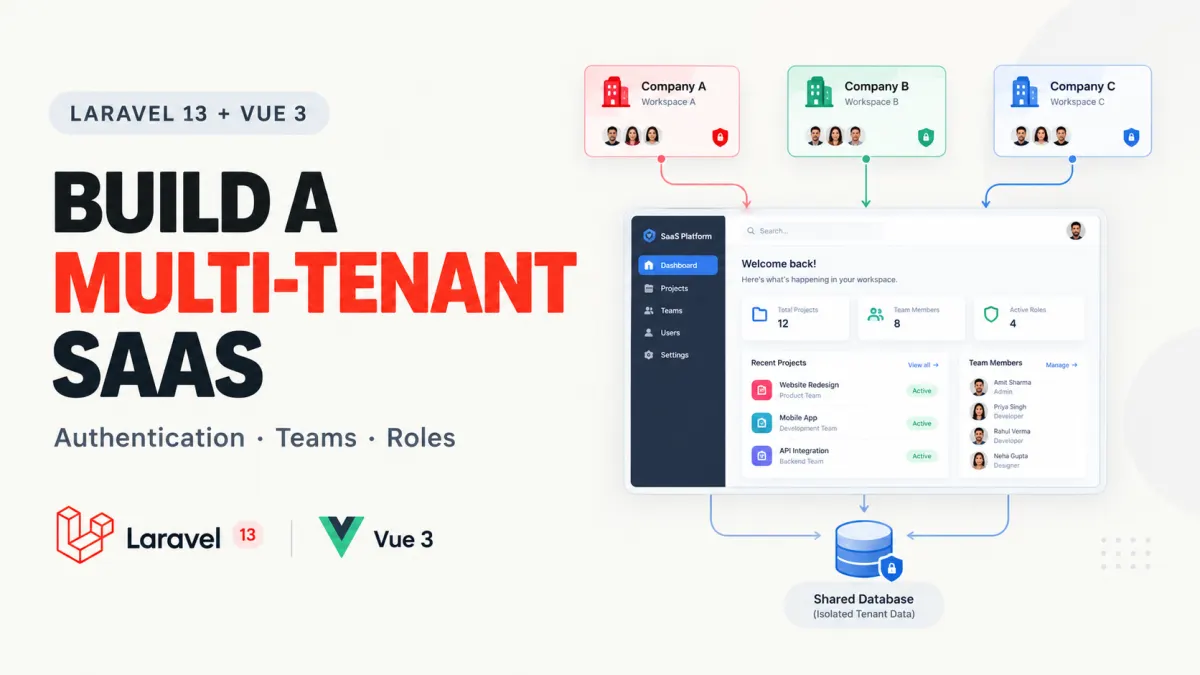
Building a Laravel application for one company is fairly straightforward. You create users, add authentication, build your dashboard, and start developing features.
Now imagine selling that same application to 100 companies.
Each company needs its own workspace. Employees should only access their company's data. Managers need different permissions from regular users. Some customers want custom domains, subscription plans, or multiple teams.
And every customer must remain isolated, even though they're using the same application.
That's where building a multi-tenant SaaS with Laravel 13 and Vue 3 becomes interesting.
The difficult part isn't creating another CRUD controller. It's designing tenant isolation, authentication, authorization, and workspace management so you don't have to rebuild your architecture six months later.
In this tutorial, we'll cover how to structure a Laravel 13 SaaS application, add authentication and team management, protect tenant data, and build a Vue 3 dashboard.
We'll also explore TenantForge, a Laravel 13 and Vue 3 SaaS starter kit available on KritimYantra, for developers who prefer extending an existing source-code project instead of building every foundation feature themselves.
1. Understand Multi-Tenancy Before Writing Code
Let's use a hypothetical project-management SaaS called TeamFlow.
Three companies register:
Acme Technologies
BluePeak Digital
Northstar Solutions
Each company creates projects, invites employees, and manages tasks.
All three use the same Laravel application, but Acme employees must never access BluePeak projects.
That separation is the fundamental requirement of multi-tenancy.
Shared database vs. separate databases
There are two common approaches.
| Feature | Shared database | Database per tenant |
|---|---|---|
| Storage | One database with tenant identifiers | Separate database for each tenant |
| Initial setup | Simpler | More infrastructure |
| Migrations | One shared schema | Must coordinate tenant schemas |
| Data isolation | Enforced by application rules | Stronger database-level separation |
| Operational complexity | Generally lower | Generally higher |
| Good starting point | Team SaaS, CRM, project tools | Products requiring separate tenant databases |
Neither architecture is universally better.
For a typical team-based SaaS product, I'd start with a shared database unless customer requirements justify separate databases.
For example, your database might contain:
users
  id
  name
  email

teams
  id
  name
  slug

team_user
  team_id
  user_id
  role

projects
  id
  team_id
  name
  status

tasks
  id
  team_id
  project_id
  title
Notice something important: the project and task records have a team_id.
That column identifies which organization owns the data.
If your system also uses the word workspace, you can treat a team as a workspace for this simple architecture. A more advanced product may distinguish organizations, workspaces, and teams as separate concepts.
The most dangerous multi-tenant mistake
Consider this query:
$projects = Project::all();It retrieves projects from every tenant.
A developer may accidentally expose those records in a dashboard, report, or API endpoint.
Compare it with:
$projects = Project::query()
    ->where('team_id', $team->id)
    ->latest()
    ->get();
Now the query is restricted to the selected team.
But the second query is only secure if the application has already verified that the authenticated user belongs to $team.
Tenant filtering and authorization must work together.
A team_id column does not automatically enforce data isolation. Neither does hiding another team's projects in Vue.
The server must determine which tenant the user can access and enforce that restriction on every relevant operation.
2. Set Up Laravel 13, Vue 3, and Authentication
Laravel 13 was released on March 17, 2026, and requires PHP 8.3 or newer.
Its official Vue starter kit provides a modern full-stack setup using:
Laravel 13 and PHP
Vue 3 Composition API
TypeScript
Inertia.js 3
Tailwind CSS
Laravel Fortify authentication
This is a good starting point because you don't need to build login and registration manually.
Step 1: Create the Laravel application
Make sure PHP, Composer, Node.js, and npm are installed.
Install the Laravel CLI:
composer global require laravel/installerCreate your application:
laravel new teamflowWhen prompted, select the Vue starter kit and Laravel's built-in authentication.
For this tutorial, enable the optional Teams feature.
The official Laravel 13 starter-kit documentation confirms that team-enabled starter kits provide team creation, team switching, invitations, and management screens.
Now install the frontend dependencies:
cd teamflow

npm install
npm run build
Run the development environment:
composer run devVisit:
http://localhost:8000
You should have the authentication interface supplied by the starter kit.
Step 2: Understand what authentication gives you
The starter kit uses Laravel Fortify to provide authentication capabilities such as registration, login, password resets, email verification, and optional two-factor authentication.
You can configure supported features through config/fortify.php.
For a SaaS application, I would prioritize email verification and two-factor authentication, particularly for users who manage teams, permissions, and billing.
Remember that logging in only establishes identity.
It does not automatically grant access to every workspace.
Step 3: Add team-based navigation
With team support enabled, Laravel's starter kit allows users to belong to multiple teams and maintain a current team.
For example, your application may have routes shaped like:
/acme-technologies/dashboard
/bluepeak-digital/dashboard
The official starter kit handles membership checks for its supported team route parameters and updates the current team when users switch.
That gives you a useful foundation.
However, when adding your own routes, controllers, or API endpoints, you must preserve the same membership and authorization protections.
Don't assume that placing a team slug in a URL makes the route secure.
3. Build a Tenant-Safe Projects Module
Let's add a Projects feature.
Every workspace can have multiple projects, but users should only see records belonging to their authorized workspace.
We'll focus on the important Laravel code rather than reproducing the entire starter kit.
The examples below illustrate a custom module. They are not excerpts from TenantForge's commercial source code, and you should adapt the team model and authorization methods to your generated starter-kit structure.
Step 1: Create the model and migration
Run:
php artisan make:model Project -mIn the generated migration, define the projects table:
Schema::create('projects', function (Blueprint $table) {
    $table->id();

    $table->foreignId('team_id')
        ->constrained()
        ->cascadeOnDelete();

    $table->string('name', 160);

    $table->string('status')
        ->default('active');

    $table->timestamps();

    $table->index(['team_id', 'created_at']);
});
Run:
php artisan migrateThe foreign key ties each project to a valid team.
The composite index helps queries that retrieve a team's projects ordered by creation time.
Indexes should still be evaluated against actual query plans as the application's data grows.
Step 2: Add Eloquent relationships
In app/Models/Project.php:
<?php

namespace App\Models;

use Illuminate\Database\Eloquent\Model;
use Illuminate\Database\Eloquent\Relations\BelongsTo;

class Project extends Model
{
    protected $fillable = [
        'name',
        'status',
    ];

    public function team(): BelongsTo
    {
        return $this->belongsTo(Team::class);
    }
}
The team_id is intentionally excluded from mass assignment.
An HTTP request should not be allowed to select another tenant simply by submitting a different team_id.
In your Team model, add:
use Illuminate\Database\Eloquent\Relations\HasMany;

public function projects(): HasMany
{
    return $this->hasMany(Project::class);
}
This lets us create projects through their owning team.
Step 3: Protect the controller
The important pattern is to resolve an authorized team before accessing its resources.
Assume a Team object has been resolved and its membership verified by your application's middleware or authorization policy.
Your controller can then perform tenant-scoped operations:
public function index(Team $team)
{
    Gate::authorize('viewAny', [Project::class, $team]);

    return Inertia::render('projects/Index', [
        'projects' => $team->projects()
            ->latest()
            ->get(['id', 'name', 'status']),
    ]);
}
For project creation:
public function store(Request $request, Team $team)
{
    Gate::authorize('create', [Project::class, $team]);

    $data = $request->validate([
        'name' => ['required', 'string', 'max:160'],
    ]);

    $team->projects()->create($data);

    return back()->with(
        'success',
        'Project created successfully.'
    );
}
The corresponding ProjectPolicy must implement the viewAny and create permissions, including team-membership and role checks. These methods are not automatically supplied for your new module.
Likewise, authenticated routes must resolve the correct team securely before invoking the controller.
Notice that neither method accepts a client-provided team_id.
Instead, the application derives project ownership from the authorized team.
That is the behavior worth preserving even if your actual controller structure differs.
Step 4: Build the Vue 3 dashboard
Now create a simple page at:
resources/js/pages/projects/Index.vue
<script setup lang="ts">
type Project = {
  id: number;
  name: string;
  status: string;
};

defineProps<{
  projects: Project[];
}>();
</script>

<template>
  <main class="mx-auto max-w-5xl p-6">
    <h1 class="mb-6 text-2xl font-bold">
      Workspace Projects
    </h1>

    <p
      v-if="projects.length === 0"
      class="text-gray-500"
    >
      No projects yet.
    </p>

    <div v-else class="grid gap-4 md:grid-cols-2">
      <article
        v-for="project in projects"
        :key="project.id"
        class="rounded-lg border p-5 shadow-sm"
      >
        <h2 class="text-lg font-semibold">
          {{ project.name }}
        </h2>

        <span class="text-sm text-gray-500">
          {{ project.status }}
        </span>
      </article>
    </div>
  </main>
</template>
This is a deliberately small page component.
Inertia passes the tenant-scoped projects collection from Laravel into Vue.
The database access and authorization stay on the backend. Vue handles presentation.
For project creation, you can add a form using Inertia's form helpers, submit to the protected store route, and display Laravel's validation errors.
If the user switches workspaces, the page should load the newly authorized workspace's records rather than retaining the previous workspace's data.
That final behavior is an important part of your integration testing.
4. Add Roles, Invitations, Subscriptions, and Workspace Security
A multi-tenant application becomes useful when multiple people can collaborate inside a workspace.
But different members need different responsibilities.
Create meaningful workspace roles
A simple SaaS might use three roles.
| Role | Typical permissions |
|---|---|
| Owner | Manage workspace, members, settings, and ownership |
| Admin | Manage projects and authorized team operations |
| Member | View and work on assigned resources |
These are example product rules, not built-in Laravel role definitions.
Roles should be associated with workspace membership rather than assigned globally to an account.
Why?
Because one person might own Acme's workspace while being an ordinary member of BluePeak's workspace.
A global is_admin boolean cannot represent that distinction safely.
Laravel policies are useful for model-level authorization. You can also use dedicated permission systems when your application needs more granular control.
For example, editing a project should require both the appropriate workspace permission and ownership of the project by that workspace.
Handle invitations carefully
A basic invitation flow looks like this:
An owner invites someone by email.
The system creates a time-limited invitation.
The recipient signs in or registers.
The backend verifies the invitation and workspace.
The recipient joins with an authorized role.
Real applications must also address expired invitations, revoked invitations, duplicate requests, and invitations sent to the wrong email address.
Avoid trusting a role supplied by an invitation-acceptance form. The role should come from the server-side invitation record.
Add subscription plans without confusing them with billing
Imagine offering three SaaS plans:
| Plan | Example project limit | Team members |
|---|---|---|
| Free | 3 | 2 |
| Pro | 25 | 10 |
| Business | Custom | Custom |
These limits are hypothetical examples.
You need a server-side mechanism to enforce them. Disabling a Create Project button after a workspace reaches its quota isn't sufficient.
Quota enforcement must also account for concurrent requests that attempt to create resources at the same time.
There is another distinction worth understanding: subscription management and payment processing are separate responsibilities.
Your application might track plans, trial periods, usage limits, and subscription states without actually charging customers.
Payment collection requires integration with a suitable provider, reliable webhook handling, and appropriate billing workflows.
Protect tenant data beyond Eloquent queries
A secure shared-database SaaS needs tenant isolation everywhere data moves.
Check the following areas:
Background jobs must resolve and validate the correct tenant.
Cached records must use tenant-aware cache keys.
File storage paths and access checks must respect tenant boundaries.
Reports and exports must not include other tenants' data.
API tokens must be restricted to their authorized permissions and workspaces.
Custom domains must be verified before association with a workspace.
The failure I would test most aggressively is cross-tenant access.
Create two teams, add a project to Team A, and attempt to access it while authenticated as a user who only belongs to Team B.
The expected result is a denied or unavailable resource, never Team A's project data.
Repeat that test for reads, updates, deletes, exports, and API requests.
5. Get the Complete Laravel 13 + Vue 3 SaaS Source Code with TenantForge
Building each feature manually is valuable for learning. But for a developer starting a client project or SaaS MVP, repeating the same authentication, workspace, permissions, and subscription foundations can consume a significant amount of development time.
That's why it's worth looking at an existing project that covers those foundations.
<escape>TenantForge – Laravel 13 Multi-Tenant SaaS Starter Kit with Vue 3</escape> is a self-hosted source-code project available through KritimYantra.
Explore TenantForge, see its screenshots, and get the complete source code →
What does TenantForge include?
According to its published project description, TenantForge uses a shared-database, workspace-based multi-tenant architecture.
It includes these feature areas:
| Module | Included capabilities |
|---|---|
| Workspaces | Creation, onboarding, switching, tenant-scoped resources |
| Authentication | Registration, login, email verification, recovery, TOTP 2FA |
| Team management | Invitations, custom roles, permissions, suspension, ownership transfer |
| SaaS plans | Trials, subscriptions, usage tracking, quotas, feature limits |
| Dashboards | Workspace statistics, charts, platform administration |
| Custom domains | Subdomains, domain requests, DNS verification |
| Developer tools | API tokens, example endpoints, queue infrastructure, migrations, tests |
| Sample feature | Tenant-scoped Projects CRUD module |
It also supports optional Google and GitHub authentication, which requires provider credentials.
This makes it particularly relevant to the application we're discussing because its included Projects module demonstrates the same kind of tenant-scoped functionality covered earlier.
TenantForge technology stack
The published project specifications list:
Backend: Laravel 13, PHP 8.3+
Frontend: Vue 3, TypeScript, Inertia.js, Tailwind CSS
Database: MySQL 8+
Infrastructure: Docker Compose, FrankenPHP, Redis
Development tools: Composer, npm, PHPUnit
The included Docker application image uses PHP 8.4.
The downloadable package is described as containing editable backend and frontend code, database migrations, seeders, environment examples, Docker configuration, automated tests, and technical documentation.
It does not include preinstalled Composer or npm dependency directories; those are installed during setup.
How to install TenantForge locally
The project recommends Docker Desktop and Docker Compose.
After purchasing and extracting the source-code ZIP, the documented setup sequence is:
# Copy the environment example
cp .env.example .env

# Build and start the containers
docker compose up -d --build
Before starting the containers, review the included environment configuration and installation documentation for database, mail, and application settings.
The documentation directs users to:
http://localhost:8000
From there, the described onboarding flow is to register, verify an email address, and create a workspace.
MailHog is included in the local Docker environment for testing email functionality.
The page also offers a screenshot gallery so you can inspect the interface before deciding whether the project fits your requirements.
What you'll still need to build
TenantForge is a starter kit, not a finished product for a specific industry.
If you're building a school-management SaaS, you'll still need school-specific modules.
If you're building a CRM, you'll need customer records, sales workflows, reporting, and your own business logic.
Likewise, the project includes subscription and plan-management features, but payment-gateway processing is not included. You'll need to integrate payment collection separately.
Production hosting, domain registration, payment-provider fees, and ongoing maintenance are also separate responsibilities.
The complete source code is offered as a one-time paid download. Its commercial license permits modification for one licensed end product but does not permit redistribution or resale of the original starter kit.
For developers who want to inspect the full feature list, licensing details, setup requirements, and project screenshots, the best starting point is the official listing:
View TenantForge – Laravel 13 Multi-Tenant SaaS Starter Kit on KritimYantra
What I Would Test Before Launching Any Multi-Tenant SaaS
Whether you build the foundation yourself or start from existing source code, I'd use the same production-readiness checklist.
Tenant isolation: A user from one workspace cannot access another workspace's records, including by changing IDs, routes, or API parameters.
Authorization: A member cannot perform owner-only or admin-only actions, even by submitting direct HTTP requests.
Workspace switching: The selected tenant changes correctly without leaking previously loaded records, cached values, or permissions.
Background processing: Jobs, scheduled tasks, notifications, and exports use the correct tenant context.
Billing and quotas: Trial expiration, usage limits, failed payments, and subscription changes behave consistently.
Deployment: Database migrations, queue workers, environment secrets, HTTPS, storage, logging, and backups are configured correctly.
A polished dashboard is useful, but it isn't the best evidence that a multi-tenant application is ready for real customers.
The best evidence is that its security and data boundaries remain intact when users do something unexpected.
Frequently Asked Questions
Can I build a multi-tenant SaaS with Laravel 13 without a tenancy package?
Yes. A shared-database approach can use Laravel relationships, tenant-scoped queries, middleware, and authorization policies.
Dedicated tenancy packages become useful when you need more automated tenant identification, database switching, or complex tenant-specific infrastructure.
Is Vue 3 a good frontend choice for Laravel SaaS applications?
Yes, particularly for interactive dashboards and team-management interfaces.
Laravel's official Vue starter kit uses Inertia, allowing Vue components to work with Laravel controllers and routes without requiring a separate REST API for every page.
Does every SaaS customer need a separate database?
No. Many SaaS applications can use shared tables with strict tenant isolation.
Separate databases may be appropriate when contractual requirements, data residency, independent backups, or other operational constraints justify the complexity.
Can I use TenantForge to build and sell my own SaaS?
The published license permits modification for one licensed end product, including a hosted multi-tenant SaaS application. It does not permit reselling or redistributing the original starter kit.
Review the actual commercial license before purchasing or distributing a derivative application.
Final Thoughts: Build the Product, but Get the Foundation Right
The most valuable lesson in building a multi-tenant SaaS is that tenant isolation must shape your application from the beginning.
Authentication establishes identity. Teams establish membership. Roles define what a member can do. Tenant-aware queries and authorization protect the actual data.
Vue 3 makes the interface interactive, but Laravel must remain responsible for enforcing those rules.
If your goal is to understand SaaS architecture deeply, build a small tenant-scoped module yourself. Write the policies, add tests, and deliberately attempt cross-tenant access.
If your goal is to create a SaaS MVP faster, an existing foundation may be worth evaluating.
TenantForge on KritimYantra provides one such starting point, with editable Laravel 13 and Vue 3 source code, workspace management, authentication, role permissions, subscription administration, and example tenant-scoped functionality.
Either way, invest your attention in the part that will make your SaaS worth using: solving a real problem for the customers who sign up.
The foundation should make that work easier, not become the entire project.
Projects to explore next
Source-code projects from the KritiMyantra catalogue. Check each project's details before buying.

Flask Authentication System (Free Version) - Kritim Yantra
🛠 Features✔ Google & GitHub Authentication✔ User Registration & Login✔ Profile/Dashboard Access✔ Secure & Mi...

Flask Blog CMS with Admin Dashboard — Python Source Code
A Flask-based blogging website with a built-in admin dashboard. Manage articles, images, categories, tags and featured p...

Laravel 12 + ReactJS Starter Kit: Add Multi-Language Support (Arabic, English, Spanish) with Blog CRUD
🚀 Installation & Setup Download & Extract Get the ZIP from kritimyantra.com and extract it. Includes preconfigu...
Laravel 14 isn't here yet. But you can already build serious AI agents with Laravel today.
Laravel 14 is on the horizon, but the foundations of AI-native development are already here. Here's how I'd architect a Laravel AI...
Preparing for Laravel 14: PHP 8.4, Symfony 8, and Breaking Changes You Can Investigate Now
The next Laravel upgrade is not just about framework compatibility. It is an opportunity to discover how much your application dep...
Laravel 14 Release Date: What's Confirmed for 2027
Laravel 14 is already being discussed, but there is an important difference between knowing when a framework is likely to arrive a...
Laravel 14 and PHP 8.4: Why Symfony 8 Matters
Laravel 14 is expected to raise its minimum PHP requirement to 8.4. At first glance, that might look like another routine version...
Laravel 14 Upgrade Risks: Eloquent, Queues and Cache
A Laravel application can pass its test suite, boot successfully after an upgrade, and still behave differently in production. An...
Comments
No comments yet. Be the first to comment.
Sign in to join the discussion.