
PostgreSQL 19: New Features, Performance & Upgrade Guide

Database upgrades are easy to justify when they promise faster queries. They're harder to justify when a production system is already stable, has several integrations, and cannot afford an unexpected change in query behavior.
PostgreSQL 19 brings some genuinely useful improvements: native concurrent table repacking, better query planning, more flexible I/O and vacuum management, and new replication capabilities.
But there's an important detail before planning an upgrade: as of October 26, 2026, PostgreSQL 19 is still a release candidate, not a stable production release.
PostgreSQL 19 RC1 was released on October 15, 2026. The development team currently plans general availability for November 19, following a second release candidate scheduled for November 12.
My recommendation is to evaluate PostgreSQL 19 now, especially if your application struggles with table maintenance, complex queries, or replication lag. Production adoption should wait until the stable release, followed by application-specific testing.
The real question isn't whether PostgreSQL 19 is better. It's which improvements solve problems your system actually has.
1. Performance Improvements: What Actually Changes?
PostgreSQL 19 continues the performance work introduced in earlier versions, particularly around query optimization, asynchronous I/O, and database maintenance.
Smarter query planning
PostgreSQL's optimizer decides how a SQL statement should execute. It considers indexes, join strategies, row estimates, and the cost of retrieving data.
PostgreSQL 19 introduces several optimizations, including:
Converting eligible
NOT INconditions into more efficient anti-joins when nullability makes the transformation safe.Additional opportunities to use anti-joins and Memoize.
Performing certain aggregations before joins to reduce the number of rows processed.
Improved join selectivity calculations and incremental-sort planning.
Consider an illustrative query:
SELECT id, email
FROM users
WHERE id NOT IN (
    SELECT user_id
    FROM suspended_accounts
);
Depending on schema constraints and data statistics, the planner may be able to use a more efficient anti-join strategy.
However, NOT IN has important NULL semantics. If the subquery returns NULL, simply treating it like NOT EXISTS can change the result. PostgreSQL's optimization applies only where the planner can establish that the transformation is safe.
This is why declaring appropriate NOT NULL constraints matters beyond data validation: constraints can also give the optimizer information it needs.
For Laravel developers, these improvements may benefit ordinary Eloquent-generated SQL without application changes. But I'd still compare execution plans for expensive queries rather than assume every query becomes faster.
Better asynchronous I/O and autovacuum
PostgreSQL 19 improves asynchronous I/O read-ahead scheduling and introduces automatic scaling of background I/O workers when using the worker I/O method.
The new configuration parameters include io_min_workers, io_max_workers, io_worker_idle_timeout, and io_worker_launch_interval.
Autovacuum also becomes more flexible, with support for parallel index vacuuming and a scoring system that helps prioritize maintenance work.
These changes matter for applications with large, frequently updated tables. Better maintenance scheduling can help limit the accumulation of dead tuples and reduce the operational pressure caused by database bloat.
Still, faster maintenance isn't free. Parallel workers consume resources, and additional I/O can compete with application traffic.
The right way to evaluate PostgreSQL 19 is to compare real workloads using EXPLAIN (ANALYZE, BUFFERS), query statistics, I/O activity, and maintenance logs.
The official PostgreSQL 19 release notes describe these optimizations, but they don't establish a universal percentage improvement for every workload.
2. REPACK: A Major Improvement for Table Maintenance
One of PostgreSQL 19's most useful additions is the native REPACK command.
Previously, reclaiming substantial table bloat often meant using VACUUM FULL, external tools, or other maintenance strategies that required careful scheduling.
PostgreSQL 19 introduces a unified command that rewrites a table to reclaim unused space.
For example:
REPACK public.orders;This rewrites the table and its indexes, potentially returning space to the operating system.
The more interesting feature is concurrent repacking:
REPACK (CONCURRENTLY) public.orders;Unlike an ordinary repack, the concurrent form allows application reads and writes to continue during most of the operation.
That sounds ideal for a busy production database. There are, however, important limitations.
Concurrent does not mean lock-free.
PostgreSQL still takes an ACCESS EXCLUSIVE lock during the final phase when it swaps the rewritten table and index files. The operation also requires additional disk space, at least enough for copies of the table and its indexes.
More surprisingly, the REPACK documentation warns that concurrent repacking is not MVCC-safe for transactions using snapshots taken before the repack began. Those transactions can see the rewritten table as empty after the operation commits.
For applications using long-running analytical transactions, that is a substantial consideration.
Concurrent repacking also has restrictions. It cannot be used on partitioned or unlogged tables, and eligible tables need suitable replica identity information. It cannot run inside a transaction block.
The practical lesson is that REPACK (CONCURRENTLY) should be treated as a planned maintenance operation, not a harmless cleanup command.
Monitor long-running transactions, disk capacity, write activity, and the operation's progress. For normal dead-tuple cleanup and transaction ID wraparound protection, regular VACUUM remains essential.
This is the kind of feature I would evaluate carefully on a staging copy of a large, actively updated production table.
3. Replication Improvements: Better Control Over Consistency
PostgreSQL 19 also introduces changes that could make replicated database architectures easier to manage.
Logical replication without the usual restart requirement
Previously, enabling logical replication often required changing wal_level to logical and restarting the PostgreSQL server.
PostgreSQL 19 can automatically enable the necessary logical WAL behavior when logical replication is needed while the configured wal_level is replica.
That reduces one operational obstacle when introducing logical replication into an existing environment.
It doesn't eliminate the need to configure replication slots, permissions, capacity, and monitoring. Logical replication still requires a well-designed operational setup.
Sequence synchronization
PostgreSQL 19 adds support for synchronizing sequence values through logical replication.
This is particularly useful for migrations where applications rely on sequence-backed primary keys.
For example, PostgreSQL 19 supports:
CREATE PUBLICATION app_sequences
FOR ALL SEQUENCES;
Subscriptions can synchronize sequence state, including through the ALTER SUBSCRIPTION ... REFRESH SEQUENCES command.
But there's a limitation worth understanding: individual sequence increments are not continuously replicated.
The publisher and subscriber can therefore have different sequence positions between synchronization operations.
Before promoting a logical subscriber into a writable database, sequence values need to be checked and refreshed to avoid generating conflicting identifiers.
Database schema changes are also not automatically replicated through ordinary logical replication.
These details matter during major database migrations because copying the table rows successfully is not the same as preparing the target database to accept new writes.
WAIT: A practical solution for read-after-write consistency
The new WAIT command is especially interesting for applications that write to a primary database and read from a replica.
Imagine a user updates their profile. The write succeeds on the primary, but the next request reads from an asynchronous replica that hasn't received the change yet.
The user sees outdated information even though the update was successful.
PostgreSQL 19 lets applications wait until a replica has replayed a particular write-ahead log position, or LSN.
An illustrative command on the standby is:
WAIT FOR LSN '0/0306EE20'
WITH (
    MODE 'standby_replay',
    TIMEOUT '500ms',
    NO_THROW
);
Here, the LSN is an example value, not one to reuse in an application.
The application must obtain a position from the primary after the relevant transaction has committed, then pass that position to the standby.
With standby_replay, a successful wait indicates the replica has applied the WAL through the requested position.
The TIMEOUT parameter prevents an indefinite wait. NO_THROW lets the application handle expected outcomes such as timeout instead of automatically receiving an error.
Crucially, the application must inspect that returned status before assuming the replica is current.
For Laravel applications using separate read and write connections, this capability could support more deliberate read routing.
But I wouldn't add WAIT before every query. That would introduce unnecessary latency and could undermine the benefit of replicas.
A simpler alternative is to route consistency-sensitive reads to the primary. The new command becomes useful when the application specifically needs replica reads and controlled consistency.
4. PostgreSQL 19 Upgrade Considerations
PostgreSQL 19 is a major version upgrade. Moving from PostgreSQL 18 or an earlier version is not equivalent to applying a routine patch.
The official upgrade documentation describes migration using pg_upgrade, logical backup and restore, or replication-based approaches.
Each has different downtime, storage, and rollback implications.
Before upgrading, I would focus on five areas.
1. Application and extension compatibility
Check PostgreSQL drivers, database administration tools, connection poolers, and installed extensions. Extensions containing native code may need new binaries or compatibility updates.
For Laravel applications, validate the PHP PostgreSQL driver, database migrations, Eloquent queries, JSON operations, and any SQL executed directly by the application.
2. Query performance regressions
The planner improvements may change execution plans even for SQL that hasn't changed.
Compare the most important queries against the current database version using representative data volumes.
Pay particular attention to complex joins, reporting queries, and queries whose performance depends heavily on statistics.
3. Changed defaults and compatibility behavior
PostgreSQL 19 changes several defaults and behaviors.
JIT compilation is now disabled by default. Workloads relying on JIT for expensive analytical queries may need to enable it explicitly.
The server also requires standard_conforming_strings to be enabled, issues warnings for successful MD5 password authentication, and changes certain monitoring fields.
For instance, pg_stat_subscription_stats.sync_error_count becomes sync_table_error_count.
These changes can affect older SQL scripts, monitoring dashboards, or operational tooling even if normal application queries continue working.
4. Replication, backups, and failover
Verify that backups can be restored into a new cluster and that recovery procedures remain valid.
If logical replication is involved, test sequence synchronization, table schemas, replication lag, and the behavior of the system during switchover.
A successful initial data copy does not prove that a production cutover will be safe.
5. Deployment and rollback
Before attempting a major upgrade, establish how the previous environment will be recovered if the new version introduces unexpected problems.
For a database, rollback is not necessarily as simple as deploying an older application image. Once the new cluster accepts writes, returning to the old version requires a data reconciliation or recovery strategy.
Testing the rollback procedure is just as valuable as testing the upgrade itself.
5. Should You Upgrade to PostgreSQL 19?
The answer depends on what problem you're trying to solve.
| Your situation | Recommendation |
|---|---|
| Stable production database | Stay on a supported stable release until PostgreSQL 19 GA and compatibility testing |
| Large tables suffering from bloat | Evaluate native REPACK, particularly its concurrency restrictions |
| Read replicas serving consistency-sensitive requests | Experiment with WAIT and explicit fallback handling |
| Heavy analytical or complex SQL workloads | Benchmark optimizer and I/O changes against current performance |
| Major database migration already planned | Investigate new logical replication and sequence synchronization capabilities |
PostgreSQL 19 offers several meaningful improvements, but the most interesting ones come with operational responsibilities.
Concurrent repacking still has locking and transaction visibility implications. Replica consistency requires application-level decisions. Planner improvements should be measured, not assumed.
My recommendation is to test PostgreSQL 19 RC1 using representative workloads now, then make the production decision after the stable release.
For an existing application, the best upgrade is not necessarily the earliest one. It's the upgrade where performance gains, compatibility, operational costs, and recovery procedures have all been understood.
That's how a database improvement becomes a reliable production improvement.
Projects to explore next
Source-code projects from the KritiMyantra catalogue. Check each project's details before buying.

Flask Authentication System (Free Version) - Kritim Yantra
🛠 Features✔ Google & GitHub Authentication✔ User Registration & Login✔ Profile/Dashboard Access✔ Secure & Mi...

Flask Blog CMS with Admin Dashboard — Python Source Code
A Flask-based blogging website with a built-in admin dashboard. Manage articles, images, categories, tags and featured p...

Laravel 12 + ReactJS Starter Kit: Add Multi-Language Support (Arabic, English, Spanish) with Blog CRUD
🚀 Installation & Setup Download & Extract Get the ZIP from kritimyantra.com and extract it. Includes preconfigu...
AI Can Build a Laravel App in Minutes. But Can It Maintain One for Five Years?
AI is making software development faster. But the real test of a Laravel application isn't how quickly it can be generated. It's w...

8 Years With Laravel: What AI Coding Still Gets Wrong
AI can write Laravel controllers, generate migrations, build APIs, and even troubleshoot complex applications. But after eight yea...

PHP Isn't Dead. AI Might Give It a Second Life.
AI is changing how software gets built. But the biggest opportunity for PHP might have less to do with generating code and more to...

Laravel 14 isn't here yet. But you can already build serious AI agents with Laravel today.
Laravel 14 is on the horizon, but the foundations of AI-native development are already here. Here's how I'd architect a Laravel AI...
Laravel 14 Release Date: What's Confirmed for 2027
Laravel 14 is already being discussed, but there is an important difference between knowing when a framework is likely to arrive a...
Laravel 14 and PHP 8.4: Why Symfony 8 Matters
Laravel 14 is expected to raise its minimum PHP requirement to 8.4. At first glance, that might look like another routine version...
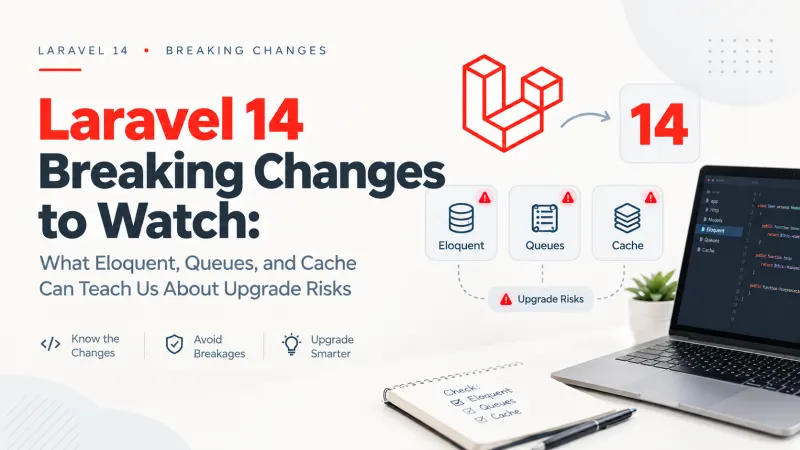
Laravel 14 Upgrade Risks: Eloquent, Queues and Cache
A Laravel application can pass its test suite, boot successfully after an upgrade, and still behave differently in production. An...

PHP 8.6 Laravel Compatibility: What to Test Before Upgrading
PHP 8.6 is getting close to release, and the temptation is familiar: update the runtime, run php artisan test, see green, and assu...
Comments
No comments yet. Be the first to comment.
Sign in to join the discussion.