
Next.js 16.4 Partial Prefetching for Faster Navigation

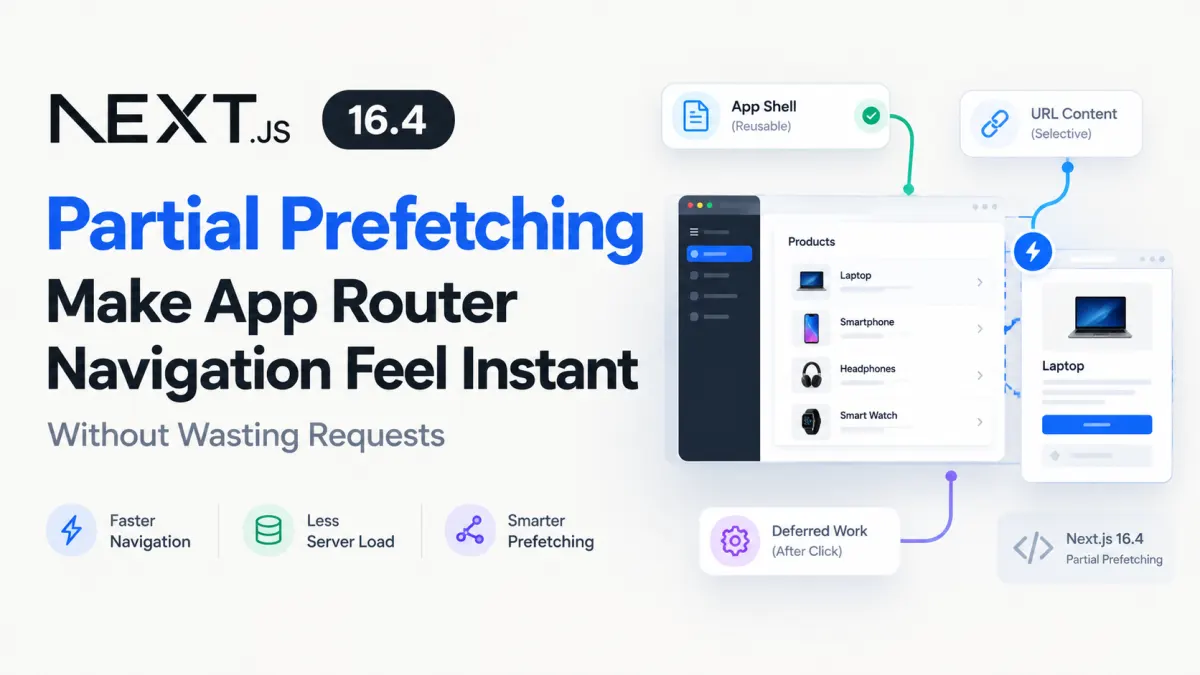
Imagine an e-commerce dashboard displaying 50 product links. You want navigation to feel immediate, but preloading every product page means fetching data for products most visitors will never open.
Disabling prefetching saves resources but brings back loading delays. Prefetching everything improves responsiveness but can increase server work, network traffic, and hosting costs.
Next.js 16.4 offers a more useful middle ground: prepare the reusable parts of a destination before navigation, fetch URL-specific content selectively, and postpone expensive work until someone actually opens the page.
The underlying Partial Prefetching feature arrived in Next.js 16.3. Version 16.4 builds on it with finer controls over when cached content renders.
Here's how it works, how to configure it, and where eager prefetching is still worth the cost.
1. Why Partial Prefetching Changes the App Router
Traditional route prefetching has an awkward trade-off.
If a destination is inexpensive and static, downloading everything ahead of time makes sense. But when a destination contains personalized data, expensive database queries, or dynamically generated content, prefetching the whole page may accomplish work nobody needs.
Next.js already improved this behavior through route-level code splitting, shared layouts, and incremental navigation caching in version 16.
Partial Prefetching takes a more deliberate approach.
Instead of treating each link as an independent page to prepare, Next.js can prefetch a reusable App Shell.
The App Shell contains the route's URL-independent rendered output, including eligible cached content. For routes that read session information through cookies() or headers(), it can also include session-specific output, cached appropriately on the client.
Consider these URLs:
/products/101
/products/102
/products/103
/products/104
They share the same /products/[id] route.
Under Partial Prefetching, Next.js can fetch one reusable shell for that route instead of independently preparing every product destination.
The individual product details can be resolved later.
This separation changes the performance question from "Should this entire page be prefetched?" to "Which parts of this page need to be ready before the user clicks?"
Three stages of navigation
| Stage | What happens | When |
|---|---|---|
| App Shell | Reusable route structure and eligible cached content are prepared | Before navigation |
| Per-link prefetch | Cached URL-specific content can be loaded for selected links | Before navigation, when requested |
| Navigation | Remaining content, including deferred work, is rendered | After the click |
A shared shell makes the destination responsive without requiring every data dependency to finish first.
That distinction matters: an instant-feeling navigation is not necessarily a fully loaded page. Users can see meaningful content immediately while slower sections stream into place.
For a complex dashboard, that is often a better experience than either a blank page or an expensive, fully prefetched route.
The official Next.js Partial Prefetching documentation describes this reusable shell model and how the framework handles URL-specific data.
2. Enable Partial Prefetching and Structure Your Routes
Partial Prefetching requires Cache Components.
For an existing Next.js 16.4 project, enable both options in next.config.ts:
import type { NextConfig } from 'next'

const nextConfig: NextConfig = {
  cacheComponents: true,
  partialPrefetching: true,
}

export default nextConfig
Although Next.js 16.4 enables Cache Components by default in newly created apps, Partial Prefetching still needs to be explicitly configured for app-wide use.
Now consider a product listing that renders several links:
import Link from 'next/link'

type Product = {
  id: string
  name: string
}

export function ProductLinks({
  products,
}: {
  products: Product[]
}) {
  return (
    <nav aria-label="Products">
      {products.map((product) => (
        <Link
          key={product.id}
          href={`/products/${product.id}`}
        >
          {product.name}
        </Link>
      ))}
    </nav>
  )
}
Notice that there is no explicit prefetch prop.
With Partial Prefetching enabled, this is intentional. Next.js automatically prepares the route's reusable App Shell as the link becomes eligible for viewport-based prefetching.
Links to different products can share the shell.
Keep URL-specific work behind Suspense
Now suppose the destination needs to retrieve product details.
A sensible App Router structure keeps the generic page UI separate from the part that depends on the product ID.
// app/products/[id]/page.tsx

import { Suspense } from 'react'
import { getPublicProduct } from '@/lib/products'

type ProductParams = Promise<{ id: string }>

export default function ProductPage({
  params,
}: {
  params: ProductParams
}) {
  return (
    <main>
      <h1>Product details</h1>

      <Suspense fallback={<p>Loading product...</p>}>
        <ProductDetails params={params} />
      </Suspense>
    </main>
  )
}

async function ProductDetails({
  params,
}: {
  params: ProductParams
}) {
  const { id } = await params
  const product = await getPublicProduct(id)

  if (!product) {
    return <p>Product not found.</p>
  }

  return <h2>{product.name}</h2>
}
Here, getPublicProduct represents an existing server-side data-access function. For this example, assume it retrieves publicly viewable product data and performs any necessary visibility checks. The snippet illustrates the route structure rather than supplying a complete database implementation.
The important detail is where params gets awaited.
The outer component does not wait for a specific product ID. Its heading can remain in the reusable shell.
The inner component resolves the ID inside a Suspense boundary.
On a default prefetched navigation, the destination can display its shell immediately and stream in the product details after navigation.
If you instead await params at the top of the page, you tie the outer render to a particular URL. That works against the reusable shell model and can trigger development warnings.
Next.js documents this exact migration pattern in its Adopting Partial Prefetching guide.
3. Use Eager Prefetching Only Where It Pays Off
Partial Prefetching does not mean every link must use the same strategy.
Some destinations deserve more preparation than others.
For example, a featured product that receives a substantial proportion of clicks may justify fetching its cached details before navigation. The rest of the catalog may not.
Next.js supports this distinction through the prefetch prop:
<Link
  href={`/products/${product.id}`}
  prefetch={product.featured ? true : 'auto'}
>
  {product.name}
</Link>
The behavior is straightforward:
Default or
'auto': prefetch the reusable App Shell.true: additionally resolve eligible cached URL-specific content.false: disable prefetching for that link.
For prefetch={true} to deliver product-specific content before navigation, that content must be eligible for prefetching, typically through an appropriate use cache boundary. Uncached work still waits for navigation.
There is an important cost distinction.
Suppose a catalog has 50 visible product links. These are illustrative counts, not benchmark results.
| Strategy | Potential pre-navigation work |
|---|---|
| Default Partial Prefetching | One reusable shell for the shared product route |
prefetch={true} on every product | Shared shell plus URL-specific preparation for 50 links |
prefetch={true} on 3 featured products | Shared shell plus URL-specific preparation for 3 links |
prefetch={false} everywhere | No automatic prefetch for those links |
The third approach may offer a useful balance.
The exact request count depends on the application's route structure, cache state, and Next.js scheduling. But the architectural difference remains: per-link prefetching can generate additional server work for links visitors never follow.
This is why I would avoid adding prefetch={true} to every link merely to make an application feel fast.
The default shared shell should do most of the work. Eager prefetching should be reserved for content that noticeably improves the destination when ready in advance.
The useful addition in Next.js 16.4: navigation()
Sometimes even a deliberately prefetched page contains sections that should never be prepared before the click.
Consider a product detail page with a lightweight product summary and an expensive recommendation engine.
You want the summary available quickly, but calculating recommendations for every visible product could waste significant resources.
Next.js 16.4 introduced navigation() from next/cache for exactly this kind of boundary.
import { Suspense } from 'react'
import { navigation } from 'next/cache'
import { getRecommendations } from '@/lib/products'

export function RecommendationsSection({
  productId,
}: {
  productId: string
}) {
  return (
    <Suspense fallback={<p>Loading suggestions...</p>}>
      <Recommendations productId={productId} />
    </Suspense>
  )
}

async function Recommendations({
  productId,
}: {
  productId: string
}) {
  await navigation()

  const products = await getRecommendations(productId)

  return (
    <ul>
      {products.map((product) => (
        <li key={product.id}>{product.name}</li>
      ))}
    </ul>
  )
}
Assume getRecommendations is an application-defined server function with an appropriate caching policy.
The important line is:
await navigation()During runtime rendering, this defers the remainder of that component and its descendants until an actual navigation.
Even a <Link prefetch={true}> will not eagerly load this recommendation section.
The surrounding Suspense boundary supplies the fallback while the deferred component renders.
Crucially, navigation() does not prevent downstream functions from using use cache. You can still reuse results across subsequent navigations when your caching policy permits it.
Next.js also provides prefetch() from next/cache, which establishes an earlier boundary: the work runs for an explicit per-link prefetch or during navigation, but not as part of the default shell.
That gives you three meaningful choices:
Reusable and inexpensive content belongs in the App Shell.
Important URL-specific cached content can be prepared by explicit prefetching.
Expensive or secondary content can wait until navigation.
The Next.js 16.4 release announcement explains these new deferral APIs.
4. Measure the Right Trade-Offs Before Rolling It Out
There is a tempting but misleading way to evaluate Partial Prefetching: open DevTools, count requests, and assume fewer requests always means better performance.
That misses the bigger picture.
The App Router can issue multiple smaller requests as it incrementally loads a route. A higher request count can coexist with fewer transferred bytes, less unnecessary rendering, and a faster visible transition.
For a production rollout, I would evaluate four things.
First, measure navigation experience. Does the destination show useful content immediately? Does the main content arrive quickly enough, especially on slower mobile connections?
Second, compare transferred bytes and server work. Inspect prefetched RSC responses in the Network panel. Check whether eagerly prefetched links are triggering avoidable application queries or server-side rendering.
Third, test realistic navigation patterns. A navigation that feels perfect with a warm cache may behave differently on a cold cache, a slow connection, or a rarely visited page.
Fourth, test what remains deferred. Next.js documents instant() testing through @next/playwright, which can verify what is available from the prefetch before navigation completes and what appears afterward.
Run these checks against a production build, since automatic link prefetching does not behave the same way in development.
Watch for these failure modes
Partial Prefetching still requires architectural judgment.
Cache freshness: Prefetching a cached value does not make that value fresher. Product availability, prices, and other mutable information need suitable cache lifetimes and invalidation.
Personalized content: Session-scoped shells are supported, but caching and authorization are separate concerns. Never treat prefetch settings as a substitute for server-side access checks.
High-cardinality pages: Making every visible URL-specific link eager can recreate the very server workload you were trying to avoid.
Cold caches: An explicit prefetch may not finish before the click. Your Suspense fallback must still provide a reasonable experience.
Existing applications: Switching to Partial Prefetching changes the behavior of legacy full-prefetch links. Review existing prefetch={true} usage before enabling the flag across an established codebase.
For a gradual migration, Next.js supports:
// Inside a destination page.tsx or layout.tsx
export const prefetch = 'partial'
This opts a destination into Partial Prefetching without changing the whole application's configuration. Once the relevant routes are migrated, the app-wide setting can replace the individual exports.
The official prefetch optimization guide covers additional testing strategies and deferral patterns.
5. The Practical Decision: Prefetch Less, but Prefetch Better
The meaningful improvement in Next.js 16.4 is not that developers can download more content before someone clicks.
It is that developers can decide more precisely which work deserves to happen before a click.
For most App Router applications adopting Cache Components, I would start with shared App Shell prefetching, keep URL-dependent content behind Suspense, and add prefetch={true} only where the user experience justifies per-link server work.
Then I would use prefetch() and navigation() to keep costly secondary content out of unnecessarily early rendering.
The result is a more useful definition of fast navigation: the application responds immediately, the important information appears when it matters, and the server avoids doing expensive work for destinations nobody visits.
That is a much better optimization target than attempting to preload every page completely.
Projects to explore next
Source-code projects from the KritiMyantra catalogue. Check each project's details before buying.

Flask Authentication System (Free Version) - Kritim Yantra
🛠 Features✔ Google & GitHub Authentication✔ User Registration & Login✔ Profile/Dashboard Access✔ Secure & Mi...

Flask Blog CMS with Admin Dashboard — Python Source Code
A Flask-based blogging website with a built-in admin dashboard. Manage articles, images, categories, tags and featured p...

Laravel 12 + ReactJS Starter Kit: Add Multi-Language Support (Arabic, English, Spanish) with Blog CRUD
🚀 Installation & Setup Download & Extract Get the ZIP from kritimyantra.com and extract it. Includes preconfigu...

PHP Isn't Dead. AI Might Give It a Second Life.
AI is changing how software gets built. But the biggest opportunity for PHP might have less to do with generating code and more to...

Laravel 14 Release Date: What's Confirmed for 2027
Laravel 14 is already being discussed, but there is an important difference between knowing when a framework is likely to arrive a...

Laravel 14 and PHP 8.4: Why Symfony 8 Matters
Laravel 14 is expected to raise its minimum PHP requirement to 8.4. At first glance, that might look like another routine version...

Build a ChatGPT Plugin: MCP, React & Sidebar
A tool that works in ChatGPT conversation is useful. But what if users need to open that same tool from the sidebar, explore its d...
Laravel 13 Multi-Tenant SaaS with Vue 3: Full Guide
Building a Laravel application for one company is fairly straightforward. You create users, add authentication, build your dashboa...
Comments
No comments yet. Be the first to comment.
Sign in to join the discussion.