
How to Maintain an AI-Generated Website: Complete Guide

AI coding tools have changed the way websites and web applications are developed. Tools like ChatGPT, Claude, Cursor, and GitHub Copilot can generate application code, build frontend interfaces, create database structures, and even help developers implement complex features in a fraction of the time.
But there is one important question that many website owners overlook:
What happens after your AI-generated website is complete?
Building a website with AI is relatively easy. Maintaining it, fixing bugs, keeping it secure, updating dependencies, and ensuring everything continues to work correctly requires ongoing technical attention.
An AI-generated website is still a software application. It needs the same engineering practices, security checks, performance optimization, and maintenance as any traditionally developed application.
Whether you generated your website using an AI coding assistant or hired someone to build it, this guide will help you understand how to maintain it properly.
If you already have an AI-generated website and need professional help with maintenance, customization, or deployment, KritimYantra can help you take care of it.
1. Understand the Code Before Making Changes
One of the biggest challenges with AI-generated websites is understanding the code behind the application.
AI tools can generate hundreds or thousands of lines of code quickly. However, generated code is not always organized according to the best development practices.
You may find:
Duplicate components and functions.
Unnecessary dependencies.
Incorrect database relationships.
Business logic mixed with frontend code.
Inconsistent naming conventions.
Missing validation and error handling.
Poorly structured API integrations.
Before making changes, understand how your application works.
Start by identifying:
| Area | What to understand |
|---|---|
| Frontend | Components, pages, layouts, and UI logic |
| Backend | Routes, controllers, services, and business logic |
| Database | Tables, relationships, indexes, and migrations |
| Authentication | Login, registration, permissions, and roles |
| APIs | Third-party integrations and internal endpoints |
| Deployment | Hosting, server configuration, and environment variables |
If you are not comfortable reading the code yourself, consider getting a professional code review before making major changes.
At KritimYantra, we help website owners understand their existing applications and identify problems before implementing new features.
2. Fix Bugs and Remove Unnecessary Code
AI-generated websites can look perfect during the initial demonstration but behave differently when real users start interacting with them.
For example:
A registration form works, but duplicate accounts can be created.
A dashboard displays information, but the underlying database queries are incorrect.
A payment page looks correct, but payment verification is missing.
A user can access pages that should be restricted.
A form submits successfully but does not properly handle server errors.
These problems are not always visible during initial development.
You should regularly test important application functionality and investigate errors reported by users.
When using AI to fix bugs, avoid giving vague instructions such as "Fix everything."
Instead, provide the exact problem, expected behavior, and relevant error message.
For example:
Review the user registration functionality.

Identify why duplicate email addresses are being accepted.
Check the existing database structure and validation rules.

Suggest a solution that follows the existing project architecture.
Do not modify unrelated functionality.
For more complicated applications, a developer can review the existing implementation, identify the root cause, and make fixes without unnecessarily changing working features.
3. Keep Your Website Secure
Security is one of the most important responsibilities when maintaining an AI-generated website.
AI tools can generate functional code, but that does not automatically mean the application is secure.
Some common security issues include:
Missing authorization checks.
Insecure API endpoints.
Improper input validation.
SQL injection vulnerabilities.
Cross-Site Scripting (XSS).
Exposed API keys and credentials.
Insecure file upload functionality.
Weak authentication and password policies.
Here are some essential security practices.
Use proper authentication and authorization
Make sure users can access only the information and functionality permitted by their roles.
For example, a normal customer should never be able to access administrative functionality simply by changing a URL.
Validate incoming data
Never trust data coming directly from the browser. Validate requests on the server side.
Protect sensitive credentials
Keep database passwords, API keys, and application secrets in environment variables. Never expose them in frontend JavaScript or public repositories.
Use HTTPS
Configure a valid SSL certificate and ensure that sensitive communication happens over HTTPS.
Review file uploads
Restrict file extensions, MIME types, file sizes, and storage locations.
For Laravel projects, you can also run:
composer auditThis checks installed Composer dependencies for known security advisories.
If your application handles customer information, payments, or business data, professional security reviews are particularly important.
4. Update Dependencies and Framework Versions
Modern websites rely on multiple packages and libraries.
For example, a Laravel application might use Composer packages, while its frontend uses npm dependencies.
Over time, these packages receive updates for:
Security vulnerabilities.
Performance improvements.
Compatibility fixes.
New functionality.
Bug fixes.
You can check outdated Composer packages using:
composer outdatedFor frontend packages:
npm outdatedHowever, updating everything without checking compatibility can break an existing application.
Before updating dependencies:
Review the available updates.
Check for breaking changes.
Create a backup.
Test updates in a development environment.
Run your automated test suite.
Deploy after successful verification.
Keeping dependencies updated is important, but stability should always come first.
5. Improve Website Loading Speed and Performance
A website can have an attractive design and still provide a poor user experience if it takes too long to load.
AI-generated websites sometimes contain unnecessary JavaScript, oversized images, excessive animations, and inefficient API requests.
These issues can affect both user experience and search engine performance.
Focus on the following areas:
Image optimization: Compress large images and use modern formats such as WebP or AVIF.
JavaScript optimization: Remove unused dependencies and unnecessary scripts.
Database optimization: Identify slow queries and add appropriate indexes.
Caching: Implement application, database, and browser caching where appropriate.
API optimization: Avoid unnecessary requests and return only the data required by the frontend.
Mobile optimization: Test your website across different screen sizes and devices.
You can use these tools to identify performance problems:
Google PageSpeed Insights
Google Lighthouse
Chrome DevTools
Pay attention to Google's Core Web Vitals:
Largest Contentful Paint (LCP).
Interaction to Next Paint (INP).
Cumulative Layout Shift (CLS).
Do not optimize based on assumptions. Measure performance, identify bottlenecks, and then make improvements.
6. Back Up Your Website and Database Regularly
Imagine losing your entire application because of an accidental file deletion, server failure, or corrupted database.
Without proper backups, recovering your website can become expensive and time-consuming.
A reliable backup strategy should include:
Application source code.
Production database.
Uploaded images and documents.
Important configuration files.
Deployment-related information.
A practical backup schedule could look like this:
| Backup type | Suggested frequency |
|---|---|
| Database backup | Daily |
| Uploaded files | Daily or incremental |
| Complete application backup | Weekly |
| Backup restoration test | Quarterly |
Keep backups in a separate location rather than storing everything on the same production server.
For additional protection, use automated backup scripts and external storage such as S3-compatible object storage.
Most importantly, periodically test whether your backups can actually be restored.
7. Use Git and a Proper Deployment Workflow
AI coding assistants can modify multiple files at once.
Sometimes they introduce unexpected changes or break existing functionality while implementing a new feature.
This is why version control is essential.
Git allows you to track changes, compare different versions, collaborate with developers, and roll back problematic updates.
A simple workflow:
git checkout -b feature/new-feature

# Implement changes

git status
git diff

git add .
git commit -m "Implement new feature"

git push origin feature/new-feature
For production websites, avoid making untested changes directly on the live server.
A better deployment process is:
Develop changes locally.
Push changes to Git.
Deploy to a staging environment.
Run tests and verify functionality.
Take production backups.
Deploy approved changes.
Monitor the application after deployment.
If you do not have an established deployment process, getting one configured can make future maintenance considerably easier.
8. Test Important Features After Every Major Update
One of the common problems with AI-assisted development is regression.
You fix one issue, but another part of the application stops working.
For example, changing the authentication system might unintentionally affect user permissions or dashboard functionality.
Automated testing helps prevent these situations.
For Laravel applications, you can run:
php artisan testFor other applications, use the testing framework appropriate to your technology stack.
Prioritize testing:
User registration and login.
Password reset.
User roles and permissions.
Payment processing.
Contact forms.
API integrations.
Database operations.
File uploads.
Important business workflows.
Even a small collection of automated tests covering critical functionality can save significant debugging time.
9. Keep Documentation Updated for AI Coding Assistants
If you use AI tools regularly to maintain your website, project documentation becomes extremely valuable.
Without proper context, AI may misunderstand existing functionality or introduce an implementation that conflicts with your architecture.
Maintain a project instruction file such as AGENTS.md or another format supported by your coding assistant.
For example:
# Project Development Guidelines

- Follow the existing application architecture.
- Do not duplicate existing functionality.
- Reuse existing components and services.
- Validate all incoming requests.
- Follow existing naming conventions.
- Never expose API credentials.
- Review database migrations before applying them.
- Do not remove existing functionality without approval.
- Run relevant tests after implementing changes.
- Explain significant changes before implementation.
Also document your database structure, API endpoints, deployment process, and important business rules.
This makes it easier for both developers and AI assistants to understand and maintain your application.
10. Follow a Regular Website Maintenance Checklist
Website maintenance should be an ongoing process rather than something you do only when an error occurs.
Here is a practical maintenance checklist.
| Frequency | Activity |
|---|---|
| Daily | Check website availability and critical errors |
| Daily | Verify automated backups |
| Weekly | Review application logs |
| Weekly | Monitor server resources |
| Weekly | Check security advisories |
| Monthly | Review and update dependencies |
| Monthly | Test important application features |
| Monthly | Review user permissions |
| Quarterly | Test backup restoration |
| Quarterly | Review website security and performance |
You can automate many of these activities using server monitoring, scheduled tasks, CI/CD pipelines, and backup scripts.
11. When Should You Hire a Developer to Maintain Your AI-Generated Website?
Using AI does not mean you need to become an expert in every aspect of software engineering.
If you have generated a website using an AI coding tool, you might be comfortable making small changes yourself.
However, some situations require professional development experience.
Consider getting technical assistance when:
Your website has bugs that you cannot identify.
AI-generated changes repeatedly break existing functionality.
You need to integrate payment gateways or external APIs.
Your website requires database restructuring.
You are experiencing security or performance problems.
You want to move your website to a production server.
You need additional features or custom functionality.
Your application requires long-term technical maintenance.
A professional developer can review your existing code, understand the architecture, identify potential risks, and implement changes without unnecessarily rebuilding the entire application.
You do not always need to start from scratch. In many cases, improving and maintaining your existing application is a better investment.
How KritimYantra Can Help Maintain Your AI-Generated Website
Have you built a website using ChatGPT, Claude, Cursor, GitHub Copilot, or another AI coding assistant?
Is your application working but you are unsure how to maintain it, deploy it, or fix technical problems?
KritimYantra provides practical software development and technical assistance for existing websites and web applications.
We work with existing projects and help businesses, entrepreneurs, and developers turn their applications into reliable software.
Our services include:
Website and Application Bug Fixing
We investigate existing application problems, identify root causes, and fix functionality without unnecessarily changing your working application.
AI-Generated Code Review
We review AI-generated code for architecture problems, duplicated logic, maintainability issues, and potential security vulnerabilities.
Website Customization and Feature Development
Need a new dashboard, payment integration, API, admin panel, authentication system, or business feature? We can extend your existing application.
Security and Performance Improvements
We help improve application security, database performance, API response times, and overall website reliability.
Server Setup and Production Deployment
We assist with Linux VPS configuration, domain setup, SSL certificates, application deployment, database configuration, and production environments.
Ongoing Technical Maintenance
Need someone to look after your application after launch? We can help with updates, bug fixes, technical improvements, and ongoing development.
Our technology expertise includes:
PHP and Laravel
Python, Flask, and FastAPI
Vue.js, React, JavaScript
MySQL and PostgreSQL
REST API development and integrations
Docker and Linux VPS deployment
We can work with your existing source code and technology stack, understand what you have already built, and recommend the most practical next steps.
Need Help With Your Website?
You have already invested time and effort in building your application. You do not have to struggle with every technical problem yourself.
Share your existing project, explain what you need, and let us help you find the right solution.
Contact KritimYantra: https://kritimyantra.com
Whether you need a small bug fixed, an existing application customized, or complete production deployment, we are ready to discuss your requirements.
Frequently Asked Questions (FAQs)
1. Can AI-generated websites be used for production?
Yes. AI-generated websites can be used in production, provided they are properly reviewed, tested, secured, and deployed. The quality of the final application depends on its architecture, implementation, and maintenance.
2. How do I maintain a website built using ChatGPT or Cursor?
Start by understanding the project structure, maintaining Git version control, updating dependencies, checking security, creating regular backups, and testing important functionality after changes.
3. Are AI-generated websites secure?
Not automatically. AI-generated code can contain security vulnerabilities, just like manually written code. Proper authentication, authorization, input validation, secure configuration, and regular security reviews are necessary.
4. Can a developer maintain a website generated by AI?
Yes. A developer can review the existing source code, fix bugs, improve performance, add features, update dependencies, and manage production deployment without necessarily rebuilding the application.
5. Can KritimYantra fix an existing AI-generated website?
Yes. KritimYantra offers bug fixing, code review, customization, feature development, security improvements, and deployment assistance for existing web applications. You can contact us with your project requirements.
6. Do I need to rebuild my AI-generated website to improve it?
Not necessarily. Many existing applications can be improved through targeted bug fixes, code refactoring, security improvements, and performance optimization. A technical review can help determine whether rebuilding is actually necessary.
7. How much does website maintenance cost?
The cost depends on your application's technology, complexity, current condition, and the work required. Small bug fixes may require limited development time, while ongoing maintenance or major improvements require a more detailed assessment. Contact KritimYantra to discuss your project.
Final Thoughts
AI has made software development more accessible, allowing individuals and businesses to build websites and applications faster than ever.
But building software is only one part of the journey. Keeping it secure, reliable, scalable, and useful over time requires continuous attention.
Use AI to accelerate development, follow proper engineering practices, and get professional assistance when your application needs it.
Built with AI? Let's make it production-ready.
KritimYantra — Software Products, Custom Development & Technical Support.
Projects to explore next
Source-code projects from the KritiMyantra catalogue. Check each project's details before buying.
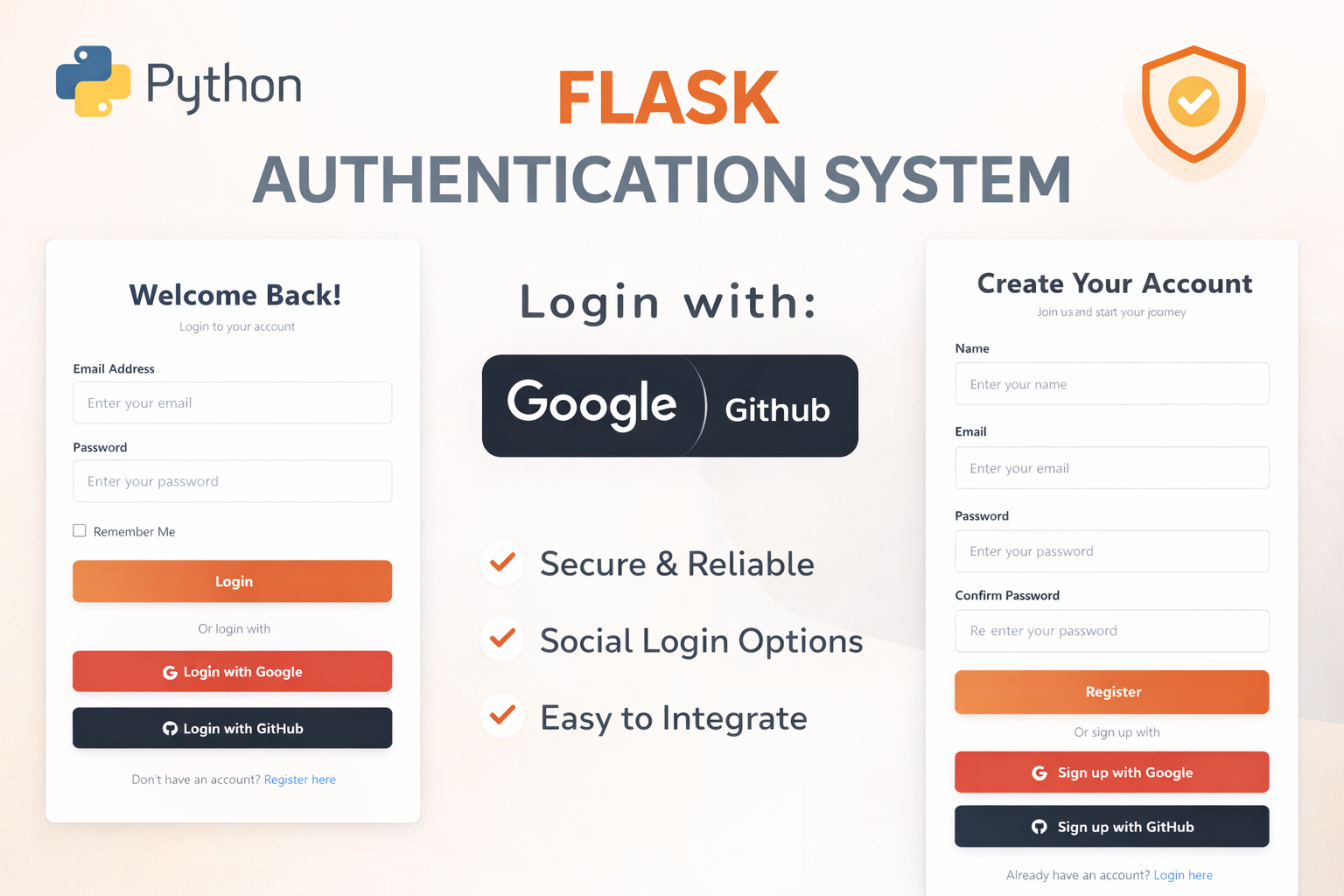
Flask Authentication System (Free Version) - Kritim Yantra
🛠 Features✔ Google & GitHub Authentication✔ User Registration & Login✔ Profile/Dashboard Access✔ Secure & Mi...
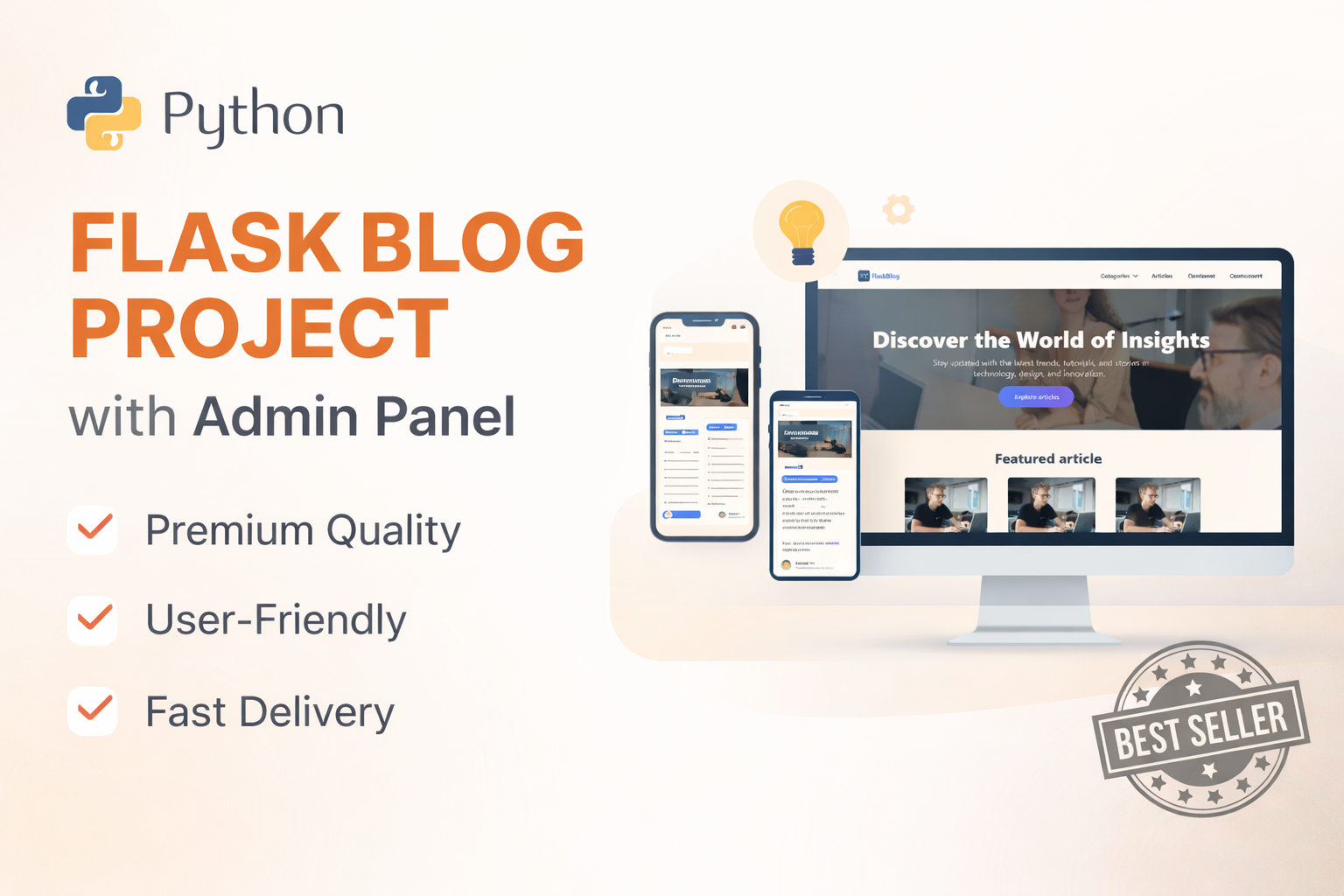
Flask Blog CMS with Admin Dashboard — Python Source Code
A Flask-based blogging website with a built-in admin dashboard. Manage articles, images, categories, tags and featured p...
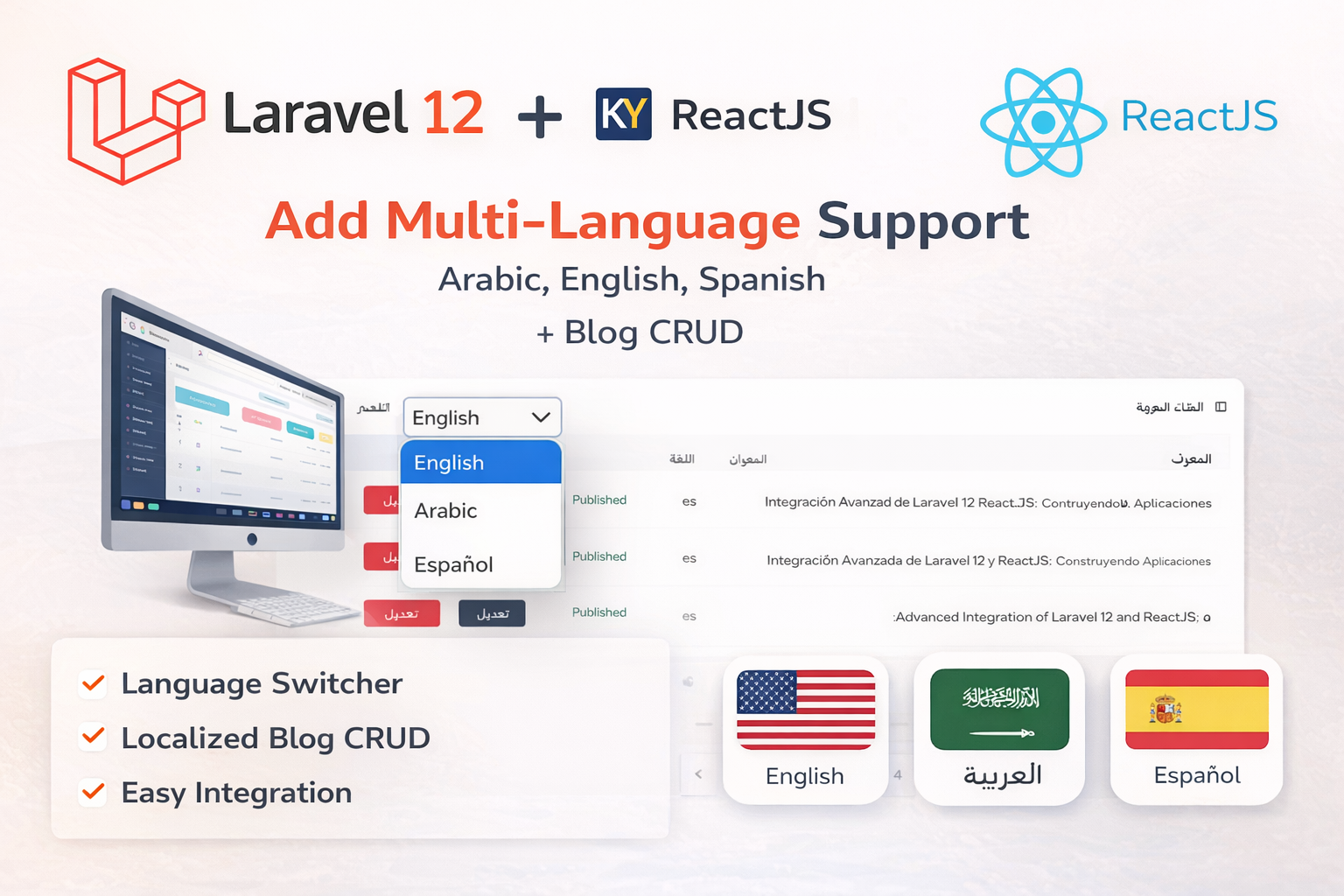
Laravel 12 + ReactJS Starter Kit: Add Multi-Language Support (Arabic, English, Spanish) with Blog CRUD
🚀 Installation & Setup Download & Extract Get the ZIP from kritimyantra.com and extract it. Includes preconfigu...
PHP2Shell Vulnerability 2026: Which PHP Versions Are Affected and How to Fix Them (Complete Guide)
Severity: Critical (CVSS 9.2/10)Vulnerabilities: CVE-2026-109618 and CVE-2026-109619If your website uses PHP, there is an importan...
Cold Storage Inventory Management: Track Lots, Racks & Gate Passes
When a customer arrives to collect 60 bags of potatoes, your warehouse team should know exactly where those bags are stored. Nobod...

Online Appointment Booking Systems for Small Businesses: A 2027 Guide
For a salon, tutor, consultant, wellness studio or repair business, an empty appointment slot is more than a gap on the calendar....
Comments
No comments yet. Be the first to comment.
Sign in to join the discussion.