
Register, Login and Logout in Flask | Flask Authentication System - Kritim Yantra

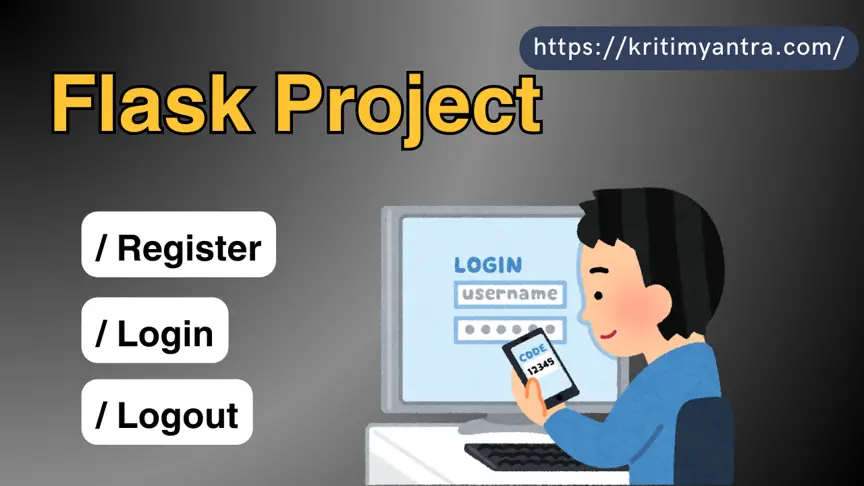
Flask is a lightweight and flexible Python web framework that is perfect for building web applications, from simple to complex. In this article, we will walk you through the process of creating a user authentication system in Flask, including login, registration, and logout functionality. We will also ensure that the code is premium-quality and the GUI is visually appealing. By the end of this article, you will have a fully functional authentication system that you can integrate into any Flask project.
1. Introduction to Flask
Flask is a micro web framework written in Python. It is classified as a microframework because it does not require particular tools or libraries. It has no database abstraction layer, form validation, or any other components where pre-existing third-party libraries provide common functions. However, Flask supports extensions that can add application features as if they were implemented in Flask itself.
In this article, we will use Flask to create a user authentication system that allows users to register, log in, and log out. We will also use Flask extensions like Flask-SQLAlchemy for database management, Flask-WTF for form handling, and Flask-Login for managing user sessions.
2. Setting Up the Flask Environment
Before we start coding, we need to set up the Flask environment. Here’s how you can do it:
Step 1: Install Python
Make sure you have Python installed on your system. You can download it from the official Python website.
Step 2: Create a Virtual Environment
It’s a good practice to create a virtual environment for your Flask project. This will help you manage dependencies and avoid conflicts with other projects.
python3 -m venv myflaskenv
Step 3: Activate the Virtual Environment
Activate the virtual environment using the following command:
On Windows:
myflaskenv\Scripts\activate
On macOS/Linux:
source myflaskenv/bin/activate
Step 4: Install Flask and Required Extensions
Now, install Flask and the necessary extensions:
pip install Flask Flask-SQLAlchemy Flask-WTF Flask-Login
3. Creating the Flask Application Structure
Let’s create the basic structure of our Flask application:
myflaskapp/
│
├── app/
│   ├── __init__.py
│   ├── models.py
│   ├── routes.py
│   ├── forms.py
│   ├── templates/
│   │   ├── base.html
│   │   ├── register.html
│   │   ├── login.html
│   │   ├── index.html
│
├── config.py
├── run.py
Step 1: Initialize the Flask Application
In app/__init__.py, initialize the Flask application:
from flask import Flask
from flask_sqlalchemy import SQLAlchemy
from flask_login import LoginManager
db = SQLAlchemy()
login_manager = LoginManager()
def create_app():
    app = Flask(__name__)
    app.config.from_object('config.Config')
    db.init_app(app)
    login_manager.init_app(app)
    # Import and register the Blueprint
    from app.routes import auth
    app.register_blueprint(auth)
    with app.app_context():
        db.create_all()
    return app
Step 2: Configure the Application
In config.py, add the configuration settings:
import os
class Config:
    SECRET_KEY = os.environ.get('SECRET_KEY') or 'your-secret-key'
    SQLALCHEMY_DATABASE_URI = os.environ.get('DATABASE_URL') or 'sqlite:///site.db'
    SQLALCHEMY_TRACK_MODIFICATIONS = False
Step 3: Create the Entry Point
In run.py, create the entry point for the application:
from app import create_app
app = create_app()
if __name__ == "__main__":
    app.run(debug=True)
4. Designing the Database with SQLAlchemy
In app/models.py, define the User model:
from app import db, login_manager
from flask_login import UserMixin
@login_manager.user_loader
def load_user(user_id):
    return User.query.get(int(user_id))
class User(db.Model, UserMixin):
    id = db.Column(db.Integer, primary_key=True)
    username = db.Column(db.String(20), unique=True, nullable=False)
    email = db.Column(db.String(120), unique=True, nullable=False)
    password = db.Column(db.String(60), nullable=False)
    def __repr__(self):
        return f"User('{self.username}', '{self.email}')"
5. Creating the User Registration System
Step 1: Create the Registration Form
In app/forms.py, create the registration form using Flask-WTF:
from flask_wtf import FlaskForm
from wtforms import StringField, PasswordField, SubmitField
from wtforms.validators import DataRequired, Length, Email, EqualTo
class RegistrationForm(FlaskForm):
    username = StringField('Username', validators=[DataRequired(), Length(min=2, max=20)])
    email = StringField('Email', validators=[DataRequired(), Email()])
    password = PasswordField('Password', validators=[DataRequired()])
    confirm_password = PasswordField('Confirm Password', validators=[DataRequired(), EqualTo('password')])
    submit = SubmitField('Sign Up')
Step 2: Create the Registration Route
In app/routes.py, create the route for user registration:
from flask import Blueprint, render_template, redirect, url_for, flash
from app.forms import RegistrationForm, LoginForm
from app.models import User
from app import db, login_manager
from flask_login import login_user, current_user, logout_user
# Create a Blueprint for the routes
auth = Blueprint('auth', __name__)
@auth.route('/')
def home():
    return render_template('index.html', title='Home')
@auth.route('/register', methods=['GET', 'POST'])
def register():
    form = RegistrationForm()
    if form.validate_on_submit():
        user = User(username=form.username.data, email=form.email.data, password=form.password.data)
        db.session.add(user)
        db.session.commit()
        flash('Your account has been created! You are now able to log in', 'success')
        return redirect(url_for('auth.login'))
    return render_template('register.html', title='Register', form=form)
Step 3: Create the Registration Template
In app/templates/register.html, create the registration form template:
{% extends "base.html" %}
{% block content %}
    <div class="content-section">
        <form method="POST" action="">
            {{ form.hidden_tag() }}
            <fieldset class="form-group">
                <legend class="border-bottom mb-4">Join Today</legend>
                <div class="form-group">
                    {{ form.username.label(class="form-control-label") }}
                    {{ form.username(class="form-control form-control-lg") }}
                </div>
                <div class="form-group">
                    {{ form.email.label(class="form-control-label") }}
                    {{ form.email(class="form-control form-control-lg") }}
                </div>
                <div class="form-group">
                    {{ form.password.label(class="form-control-label") }}
                    {{ form.password(class="form-control form-control-lg") }}
                </div>
                <div class="form-group">
                    {{ form.confirm_password.label(class="form-control-label") }}
                    {{ form.confirm_password(class="form-control form-control-lg") }}
                </div>
            </fieldset>
            <div class="form-group">
                {{ form.submit(class="btn btn-outline-info") }}
            </div>
        </form>
    </div>
    <div class="border-top pt-3">
        <small class="text-muted">
            Already Have An Account? <a class="ml-2" href="{{ url_for('auth.login') }}">Sign In</a>
        </small>
    </div>
{% endblock content %}
6. Implementing the Login System
Step 1: Create the Login Form
In app/forms.py, create the login form:
class LoginForm(FlaskForm):
    email = StringField('Email', validators=[DataRequired(), Email()])
    password = PasswordField('Password', validators=[DataRequired()])
    submit = SubmitField('Login')
Step 2: Create the Login Route
In app/routes.py, create the route for user login:
@auth.route('/login', methods=['GET', 'POST'])
def login():
    if current_user.is_authenticated:
        return redirect(url_for('home'))
    form = LoginForm()
    if form.validate_on_submit():
        user = User.query.filter_by(email=form.email.data).first()
        if user and user.password == form.password.data:
            login_user(user)
            return redirect(url_for('home'))
        else:
            flash('Login Unsuccessful. Please check email and password', 'danger')
    return render_template('login.html', title='Login', form=form)
Step 3: Create the Login Template
In app/templates/login.html, create the login form template:
{% extends "base.html" %}
{% block content %}
    <div class="content-section">
        <form method="POST" action="">
            {{ form.hidden_tag() }}
            <fieldset class="form-group">
                <legend class="border-bottom mb-4">Log In</legend>
                <div class="form-group">
                    {{ form.email.label(class="form-control-label") }}
                    {{ form.email(class="form-control form-control-lg") }}
                </div>
                <div class="form-group">
                    {{ form.password.label(class="form-control-label") }}
                    {{ form.password(class="form-control form-control-lg") }}
                </div>
            </fieldset>
            <div class="form-group">
                {{ form.submit(class="btn btn-outline-info") }}
            </div>
        </form>
    </div>
    <div class="border-top pt-3">
        <small class="text-muted">
            Need An Account? <a class="ml-2" href="{{ url_for('auth.register') }}">Sign Up Now</a>
        </small>
    </div>
{% endblock content %}
7. Adding Logout Functionality
Step 1: Create the Logout Route
In app/routes.py, create the route for user logout:
@auth.route('/logout')
def logout():
    logout_user()
    return redirect(url_for('home'))
Step 2: Update the Base Template
In app/templates/base.html, add a logout link:
<nav class="navbar navbar-expand-lg navbar-light bg-light">
        <a class="navbar-brand" href="{{ url_for('auth.home') }}">FlaskAuth</a>
        <div class="collapse navbar-collapse" id="navbarNav">
            <ul class="navbar-nav">
                {% if current_user.is_authenticated %}
                    <li class="nav-item">
                        <a class="nav-link" href="{{ url_for('auth.logout') }}">Logout</a>
                    </li>
                {% else %}
                    <li class="nav-item">
                        <a class="nav-link" href="{{ url_for('auth.login') }}">Login</a>
                    </li>
                    <li class="nav-item">
                        <a class="nav-link" href="{{ url_for('auth.register') }}">Register</a>
                    </li>
                {% endif %}
            </ul>
        </div>
    </nav>
Step 3: Create the index.html Template
In your templates folder, create a new file called index.html. This will be the template for your homepage.
{% extends "base.html" %}
{% block content %}
    <div class="content-section">
        <h1>Welcome to FlaskAuth</h1>
        <p>This is the home page of the application.</p>
        {% if current_user.is_authenticated %}
            <p>You are logged in as {{ current_user.username }}.</p>
        {% else %}
            <p>Please <a href="{{ url_for('auth.login') }}">log in</a> or <a href="{{ url_for('auth.register') }}">register</a> to get started.</p>
        {% endif %}
    </div>
{% endblock content %}
8. Enhancing the GUI with Bootstrap
To make the application visually appealing, we will use Bootstrap. You can include Bootstrap in your base.html:
<!DOCTYPE html><html lang="en">
<head>
<meta charset="UTF-8">
<meta name="viewport" content="width=device-width, initial-scale=1.0">
<title>FlaskAuth</title>
<link rel="stylesheet" href="https://stackpath.bootstrapcdn.com/bootstrap/4.5.2/css/bootstrap.min.css">
<link rel="stylesheet" href="{{ url_for('static', filename='css/styles.css') }}">
</head>
<body>
<nav class="navbar navbar-expand-lg navbar-light bg-light">
<a class="navbar-brand" href="{{ url_for('auth.home') }}">FlaskAuth</a>
<div class="collapse navbar-collapse" id="navbarNav">
<ul class="navbar-nav">
{% if current_user.is_authenticated %}
<li class="nav-item">
<a class="nav-link" href="{{ url_for('auth.logout') }}">Logout</a>
</li>
{% else %}
<li class="nav-item">
<a class="nav-link" href="{{ url_for('auth.login') }}">Login</a>
</li>
<li class="nav-item">
<a class="nav-link" href="{{ url_for('auth.register') }}">Register</a>
</li>
{% endif %}
</ul>
</div>
</nav>
<div class="container">
{% block content %}{% endblock %}
</div>
<script src="https://code.jquery.com/jquery-3.5.1.slim.min.js"></script>
<script src="https://cdn.jsdelivr.net/npm/@popperjs/core@2.5.4/dist/umd/popper.min.js"></script>
<script src="https://stackpath.bootstrapcdn.com/bootstrap/4.5.2/js/bootstrap.min.js"></script>
</body>
</html>
9. Testing the Application
Run the application using:
python run.py
Visit http://127.0.0.1:5000/ in your browser and test the registration, login, and logout functionality.
Conclusion
In this article, we have covered how to create a user authentication system in Flask, including registration, login, and logout functionality. We also enhanced the GUI using Bootstrap and discussed some security best practices. This authentication system can be integrated into any Flask project, providing a solid foundation for user management.
By following this guide, you should now have a fully functional Flask application with user authentication. You can further extend this application by adding features like password reset, email verification, and user roles.
Projects to explore next
Source-code projects from the KritiMyantra catalogue. Check each project's details before buying.

Flask Authentication System (Free Version) - Kritim Yantra
🛠 Features✔ Google & GitHub Authentication✔ User Registration & Login✔ Profile/Dashboard Access✔ Secure & Mi...

Flask Blog CMS with Admin Dashboard — Python Source Code
A Flask-based blogging website with a built-in admin dashboard. Manage articles, images, categories, tags and featured p...

Laravel 12 + ReactJS Starter Kit: Add Multi-Language Support (Arabic, English, Spanish) with Blog CRUD
🚀 Installation & Setup Download & Extract Get the ZIP from kritimyantra.com and extract it. Includes preconfigu...
Comments
No comments yet. Be the first to comment.
Sign in to join the discussion.